Managing
AI Use Cases
Inventory fields
Configure custom inventory fields for AI governance:
| Field type | Examples |
|---|---|
| Classification | Risk tier, impact level |
| Ownership | Use case owner, business sponsor |
| Purpose | Intended use, use boundaries |
| Status | Lifecycle stage, approval status |
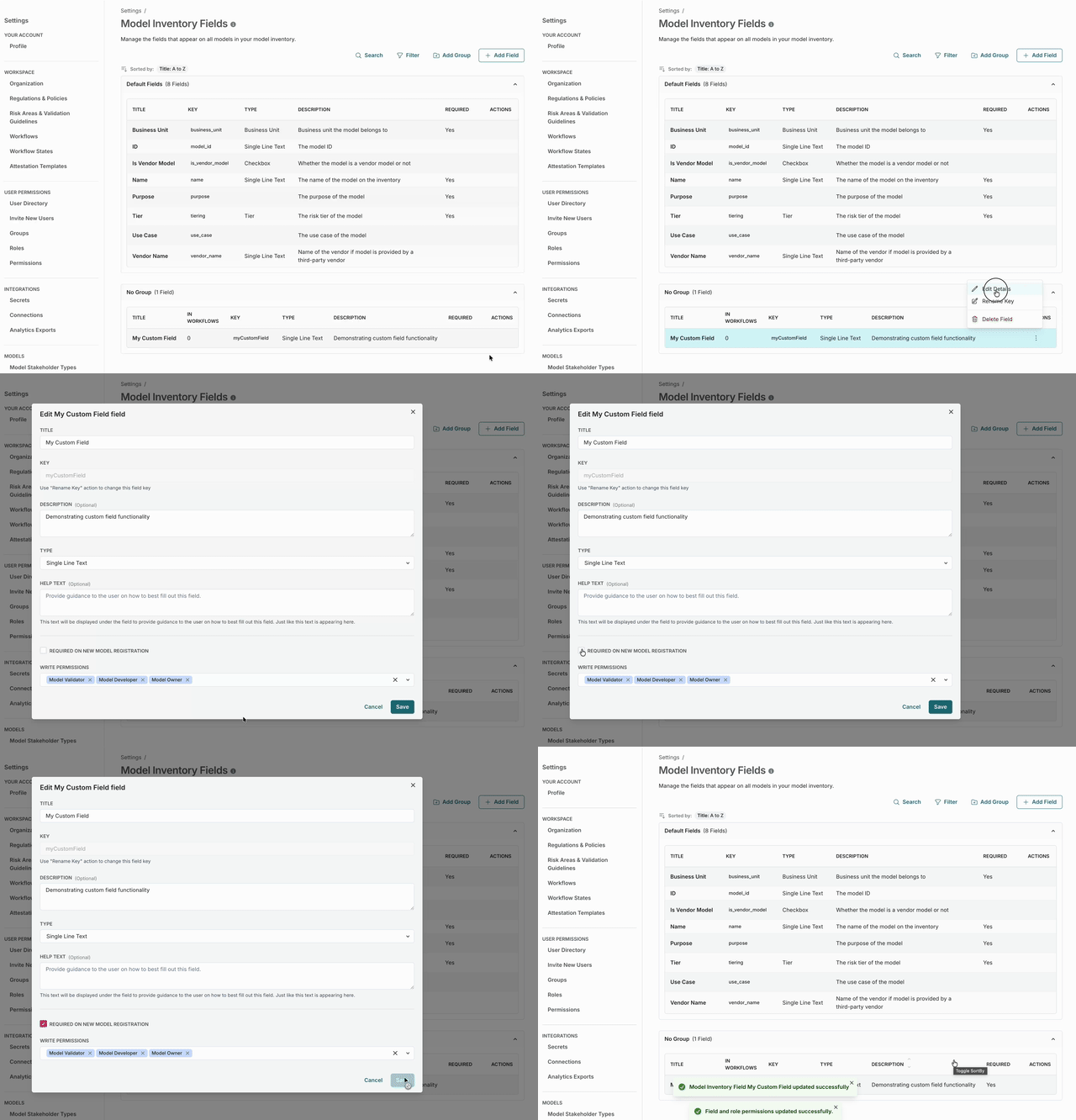
The inventory in action
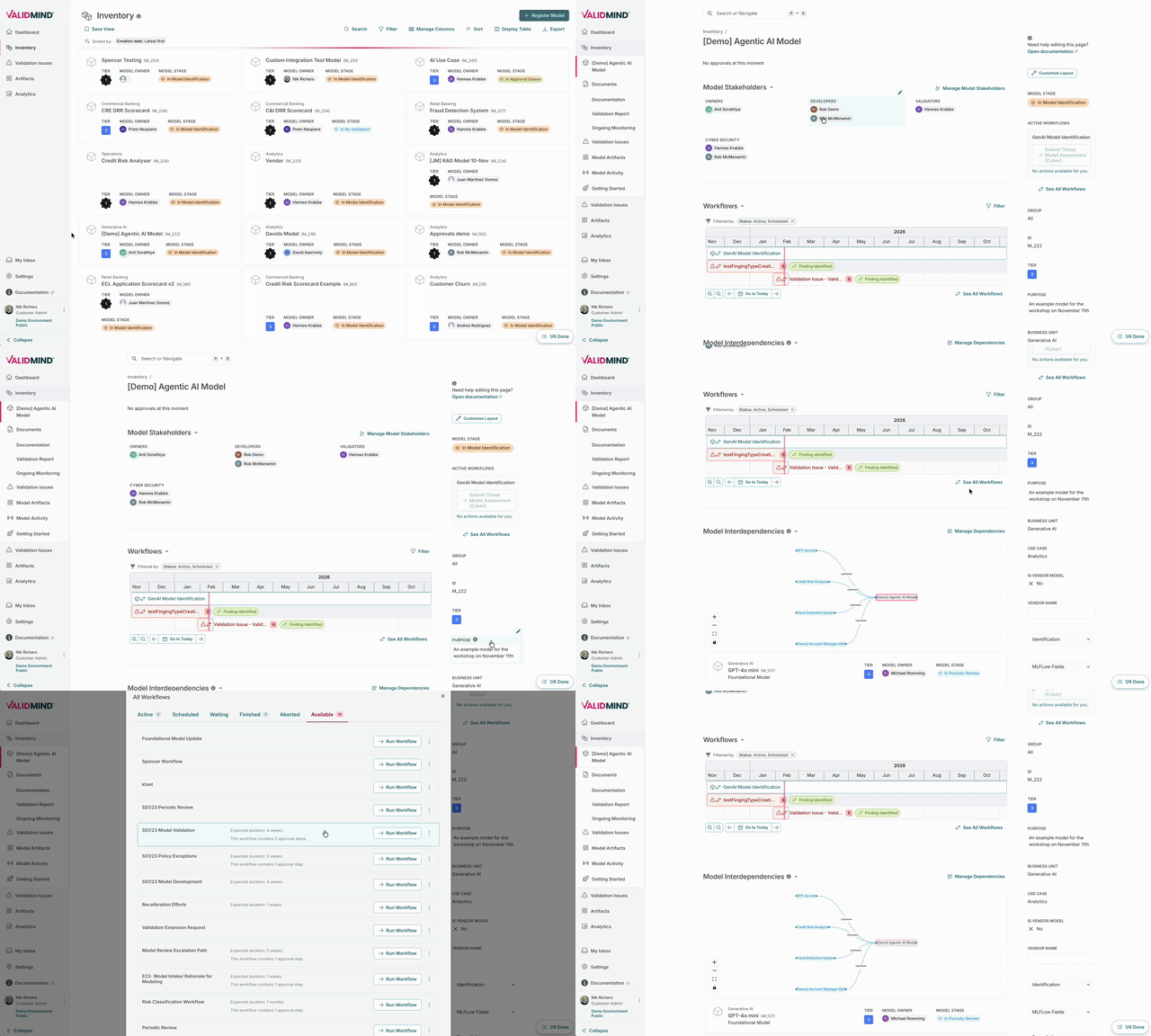
The Inventory displays AI use cases with:
- Tier — Risk classification level
- Owner — Accountability assignment
- Stage — Current lifecycle stage
Configuring risk tiers
In ValidMind, you can:
- Add custom fields for risk classification
- Configure different workflows per tier
- Apply document templates by tier
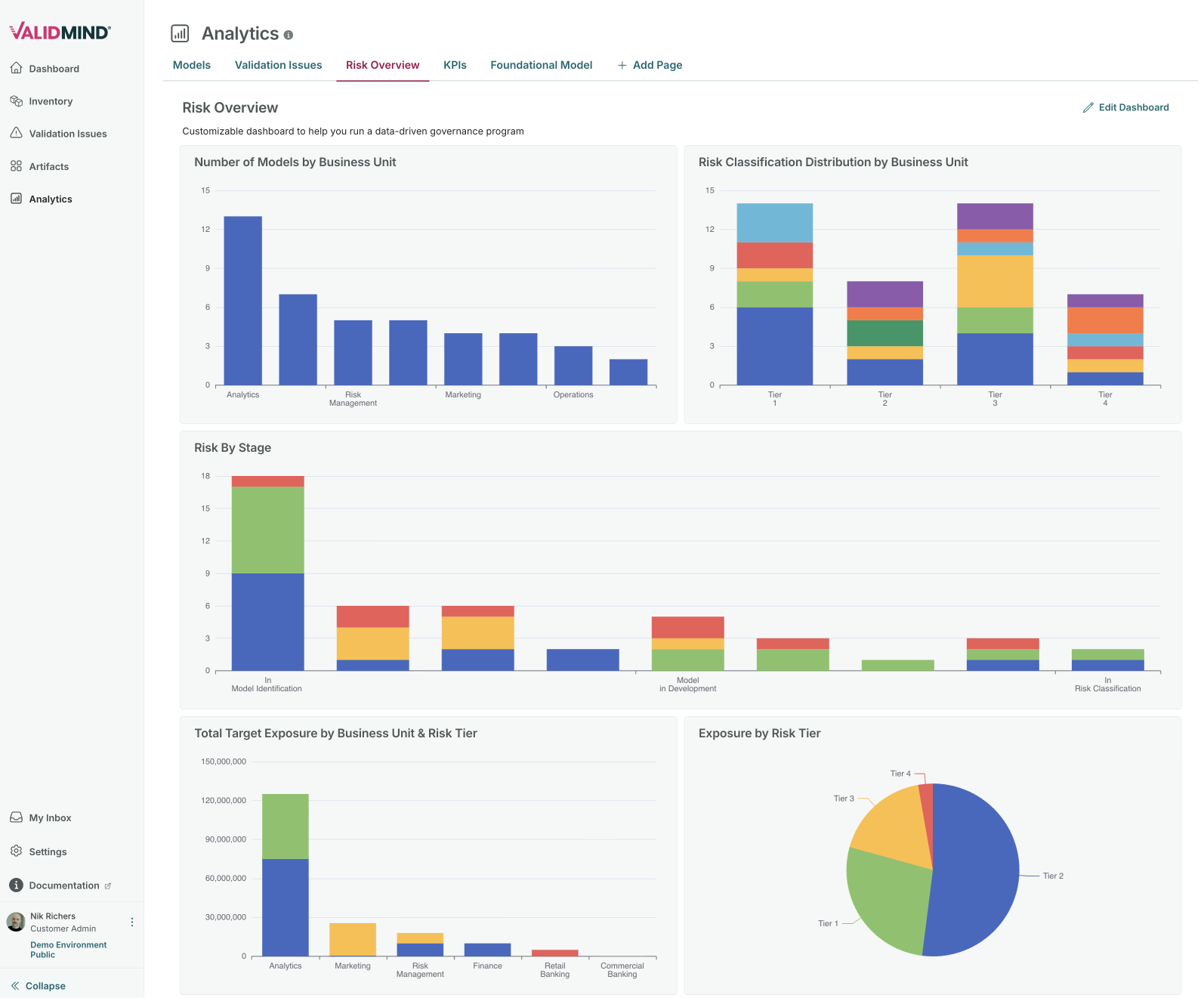
- Generate reports filtered by risk level
AI governance lifecycle
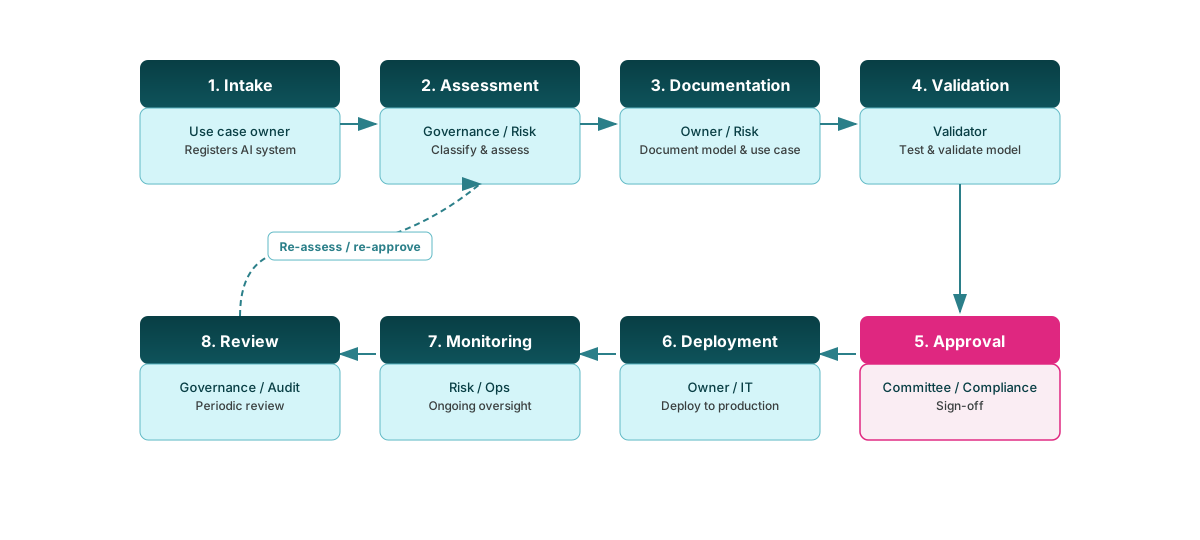
The AI governance lifecycle moves from intake and risk assessment through documentation and validation to a formal approval gate, then deployment, ongoing monitoring, and periodic review — with a feedback loop so systems can be re-assessed and re-approved when needed.