Expose external fields in calculated fields

frontend
26.01.02
enhancement
Published

January 7, 2026

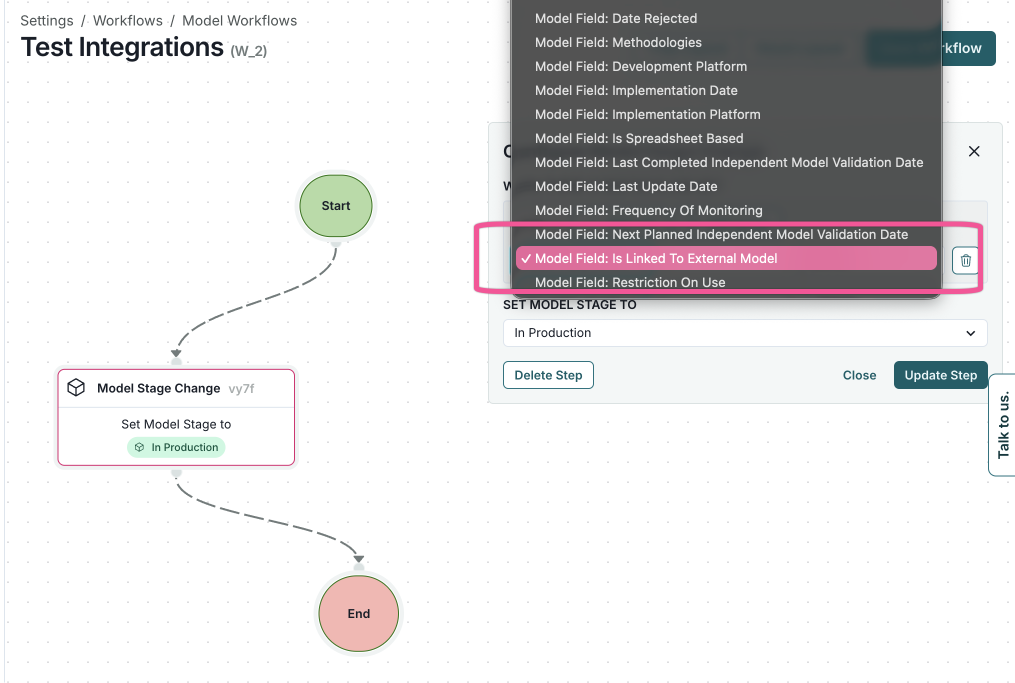
Integrations fields are now available in calculated fields, workflows, and analytics. This improvement enables better support for external systems such as MLflow, Jira, and SageMaker.
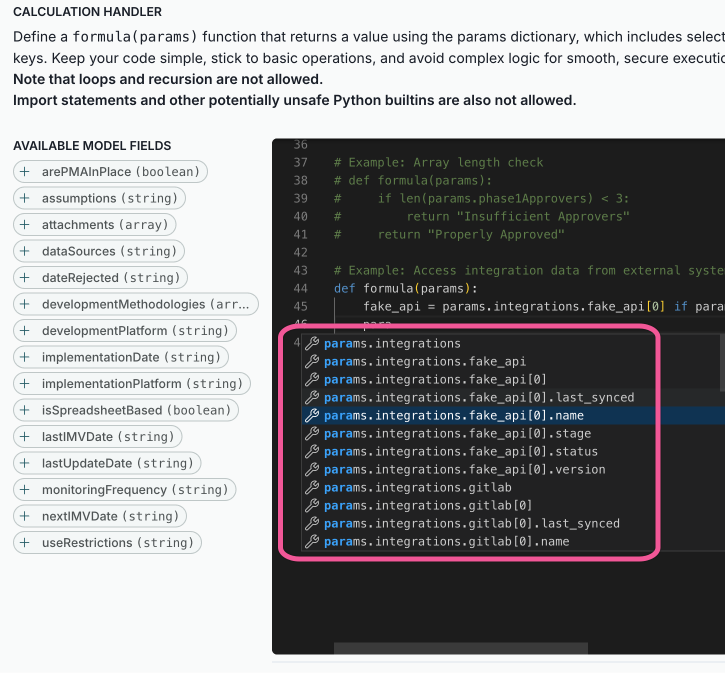
A screenshot of the custom field modal with the external field Model Field: Is Linked To External Model highlighted.

Calculated fields modal showing an integrations field

A workflow interface titled Test Integrations displays a flowchart with nodes and connecting lines. The flowchart includes two nodes: a white node labeled Model Stage Change with a pink border and a green node labeled End. A green arrow labeled Set Model Stage to In Production connects the two nodes. On the right, a dropdown menu is open, showing options such as Model Field: Base Rejected and Model Field: Is Linked To External Model, with the latter highlighted in pink. Below the dropdown, there are buttons labeled Delete Step, Close, and Update Step, with Update Step in blue.

External field in a workflow