• Documentation
    • About ​ValidMind
    • Get Started
    • Guides
    • Support
    • Releases

    • ValidMind Library
    • Python API
    • Public REST API

    • Training Courses
  • Log In
  1. 2024 Releases
  2. September 25, 2024
  • All releases

  • Current releases
  • Feature highlights
  • ValidMind Platform releases
  • ValidMind Library releases
  • Documentation updates

  • Breaking changes and deprecations

  • Older releases
  • April 24, 2025
  • March 7, 2025
  • January 31, 2025
  • 2024 Releases
    • December 24, 2024
    • December 6, 2024
    • October 22, 2024
    • September 25, 2024
    • September 9, 2024
    • August 13, 2024
    • July 22, 2024
    • June 10, 2024
    • May 22, 2024
    • March 27, 2024
    • February 14, 2024
    • January 26, 2024
    • January 18, 2024
  • 2023 Releases
    • December 13, 2023
    • November 9, 2023
    • October 25, 2023
    • September 27, 2023
    • August 15, 2023
    • July 24, 2023
    • June 22, 2023
    • May 30, 2023

On this page

  • Release highlights
    • Generate with ​ValidMind AI
  • How to upgrade
  • Edit this page
  • Report an issue
  1. 2024 Releases
  2. September 25, 2024

September 25, 2024

Published

September 25, 2024

Release highlights

Our new and improved our AI-generation feature enables you to more easily draft content within your model documentation, validation reports, and ongoing monitoring plans right in the ValidMind Platform.

Generate with ​ValidMind AI

A screenshot showing the content editing toolbar with the Generate with AI button on the right

Content editing toolbar with the Generate with AI button on the right

Our new beta (Generate Text with AI) button is now available when you edit simple text blocks in model documentation, model validation reports, and ongoing monitoring plans. This button replaces the old button that was used to AI-generate content.

  • Provide an optional prompt to guide the output, then click Generate to compose a draft for review.
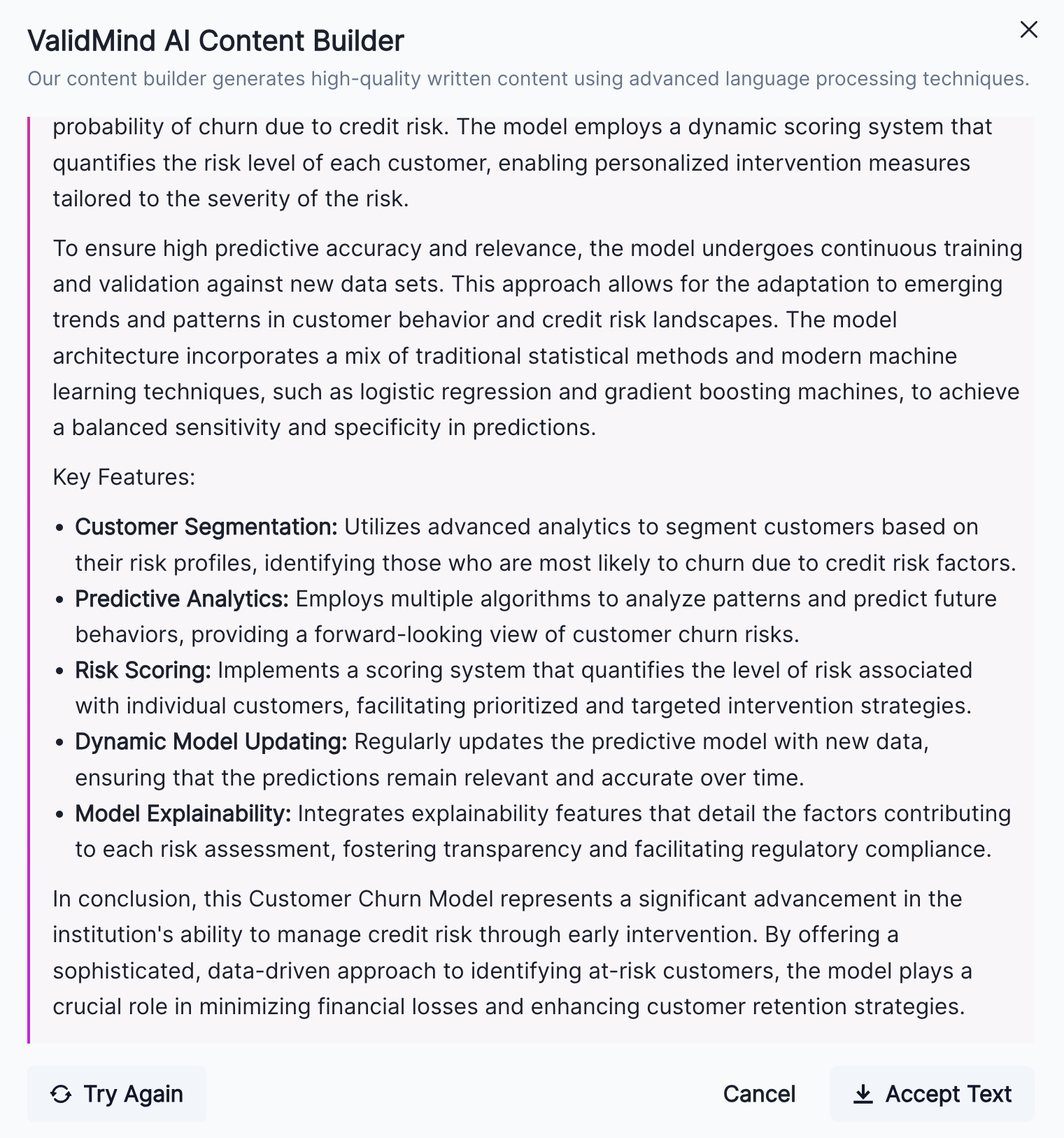
  • You can choose to Accept Text to insert the draft into your text block, or Try Again to regenerate a different copy.
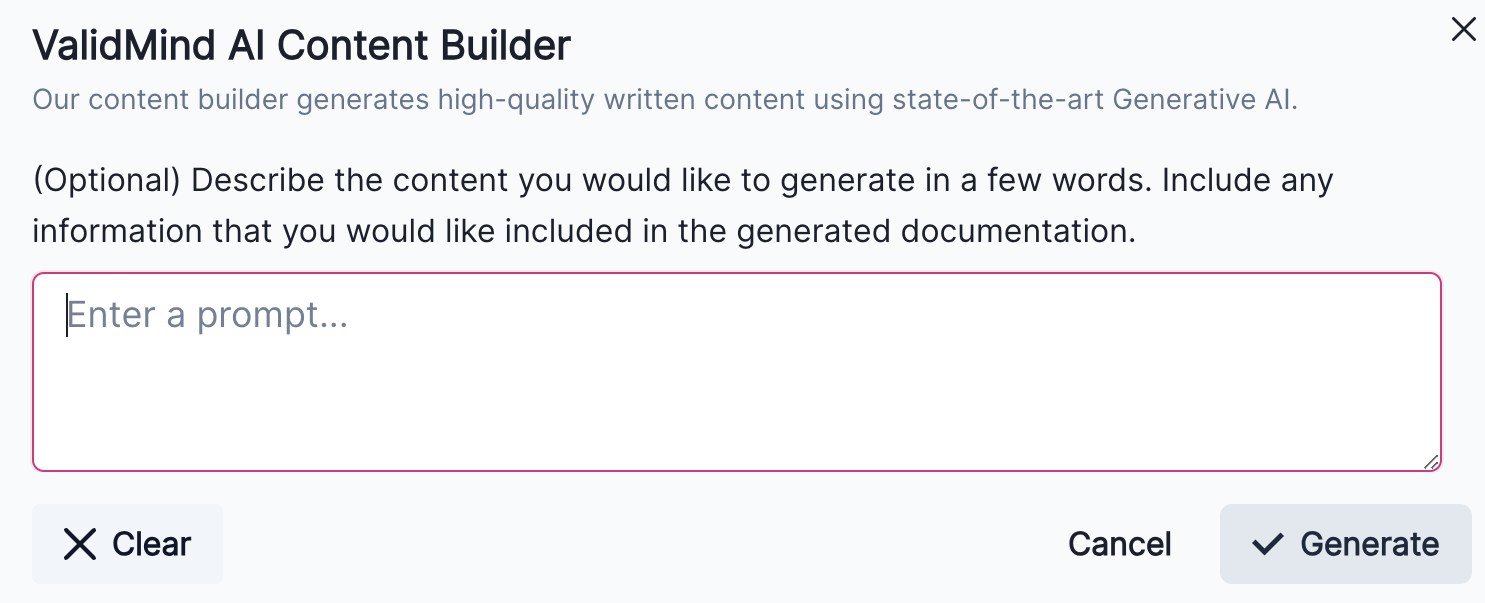
A screenshot showing the ValidMind AI Content Builder modal with the optional prompt box

​ValidMind AI Content Builder modal with the optional prompt box

A screenshot showing a modal with AI-generated text

Modal with AI-generated text

Generate Text with AI beta

How to upgrade

ValidMind Platform

To access the latest version of the ValidMind Platform,1 hard refresh your browser tab:

1 Log in to ​ValidMind

  • Windows: Ctrl + Shift + R OR Ctrl + F5
  • MacOS: ⌘ Cmd + Shift + R OR hold down ⌘ Cmd and click the Reload button

ValidMind Library

To upgrade the ValidMind Library:2

2 ValidMind Library

  1. In your Jupyter Notebook:

    • Using JupyterHub: Hard refresh your browser tab.
    • In your own developer environment: Restart your notebook.
  2. Then within a code cell or your terminal, run:

    %pip install --upgrade validmind

You may need to restart your kernel after running the upgrade package for changes to be applied.

October 22, 2024
September 9, 2024
  • ValidMind Logo
    ©
    Copyright 2026 ValidMind Inc.
    All Rights Reserved.
    Cookie preferences
    Legal
  • Get started
    • Model development
    • Model validation
    • Setup & admin
  • Guides
    • Access
    • Configuration
    • Model inventory
    • Model documentation
    • Model validation
    • Workflows
    • Reporting
    • Monitoring
    • Attestation
  • Library
    • For developers
    • For validators
    • Code samples
    • Python API
    • Public REST API
  • Training
    • Learning paths
    • Courses
    • Videos
  • Support
    • Troubleshooting
    • FAQ
    • Get help
  • Community
    • GitHub
    • LinkedIn
    • Events
    • Blog
  • Edit this page
  • Report an issue
