What is ValidMind?
A Short Product Tour
Contents
1 The Inventory
1
The Inventory
ValidMind is your system of record for governance.
Use the ValidMind Inventory to track AI systems, models, use cases, and tools, along with their dependencies.
The Inventory
The Inventory — 2/3
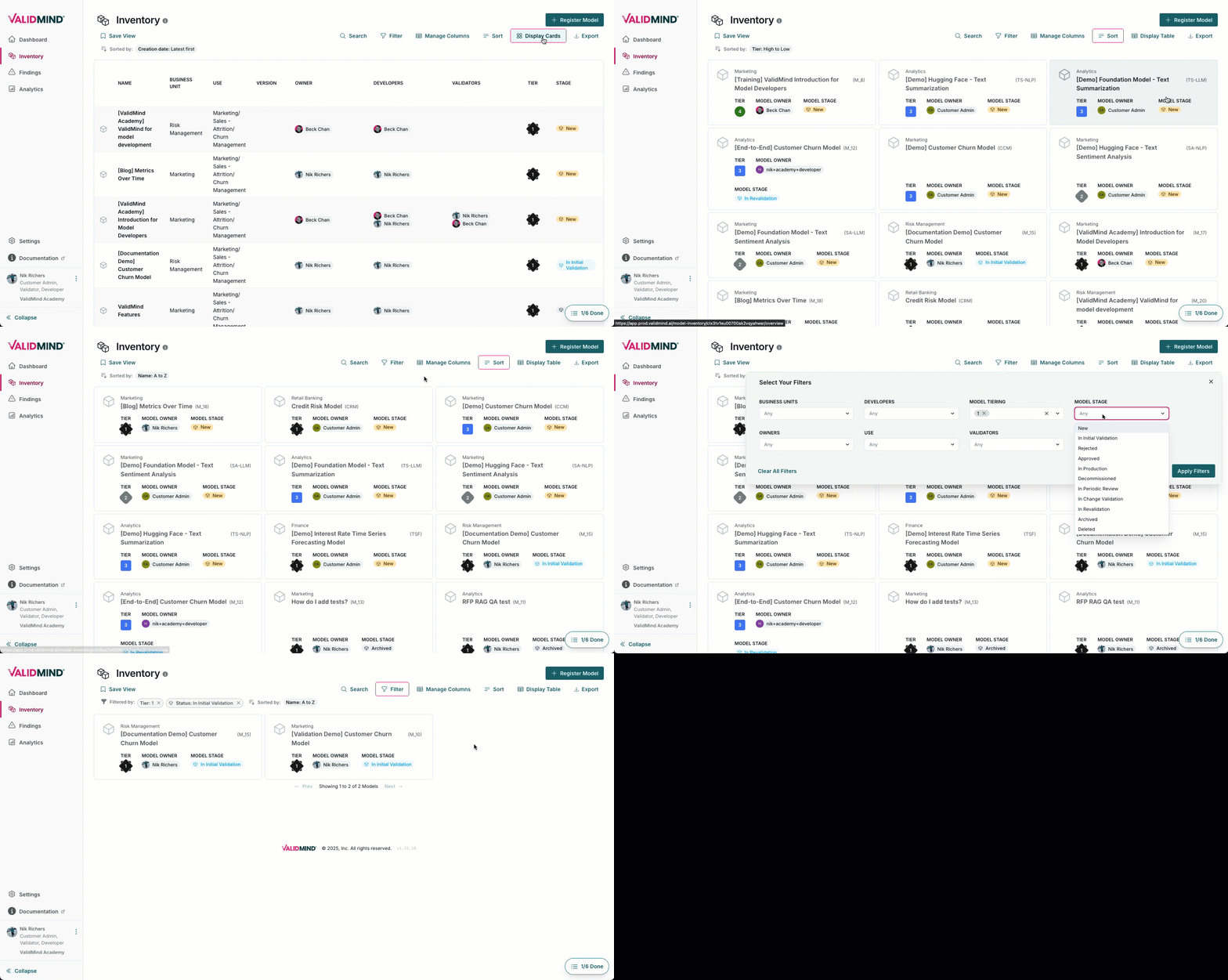
The ValidMind Inventory is industry-aligned, highly customizable with your own fields, integrated with workflows, and scales to your needs.
Registration
The Inventory — 3/3
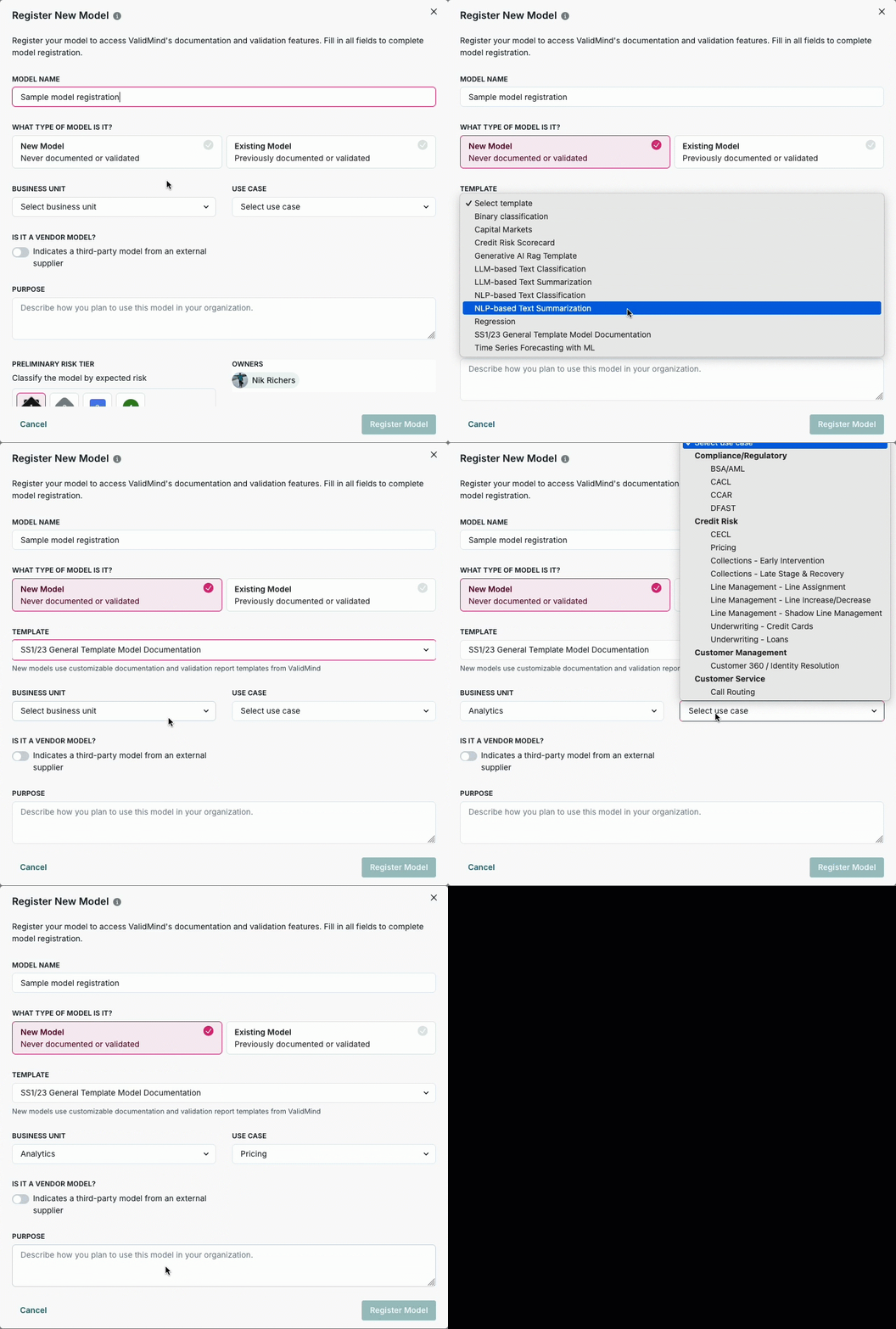
Registration starts the lifecycle for governance, identifies the stakeholders, and collects any other required information.
2 Workflows & Approvals
2
Workflows & Approvals
Workflows are entwined with your inventory and enable governance by defining roles and responsibilities, enforcing policies and procedures, and audit trails across the lifecycle within one single tool for oversight — the ValidMind Platform.
Roles and Responsibilities
Workflows & Approvals — 2/3
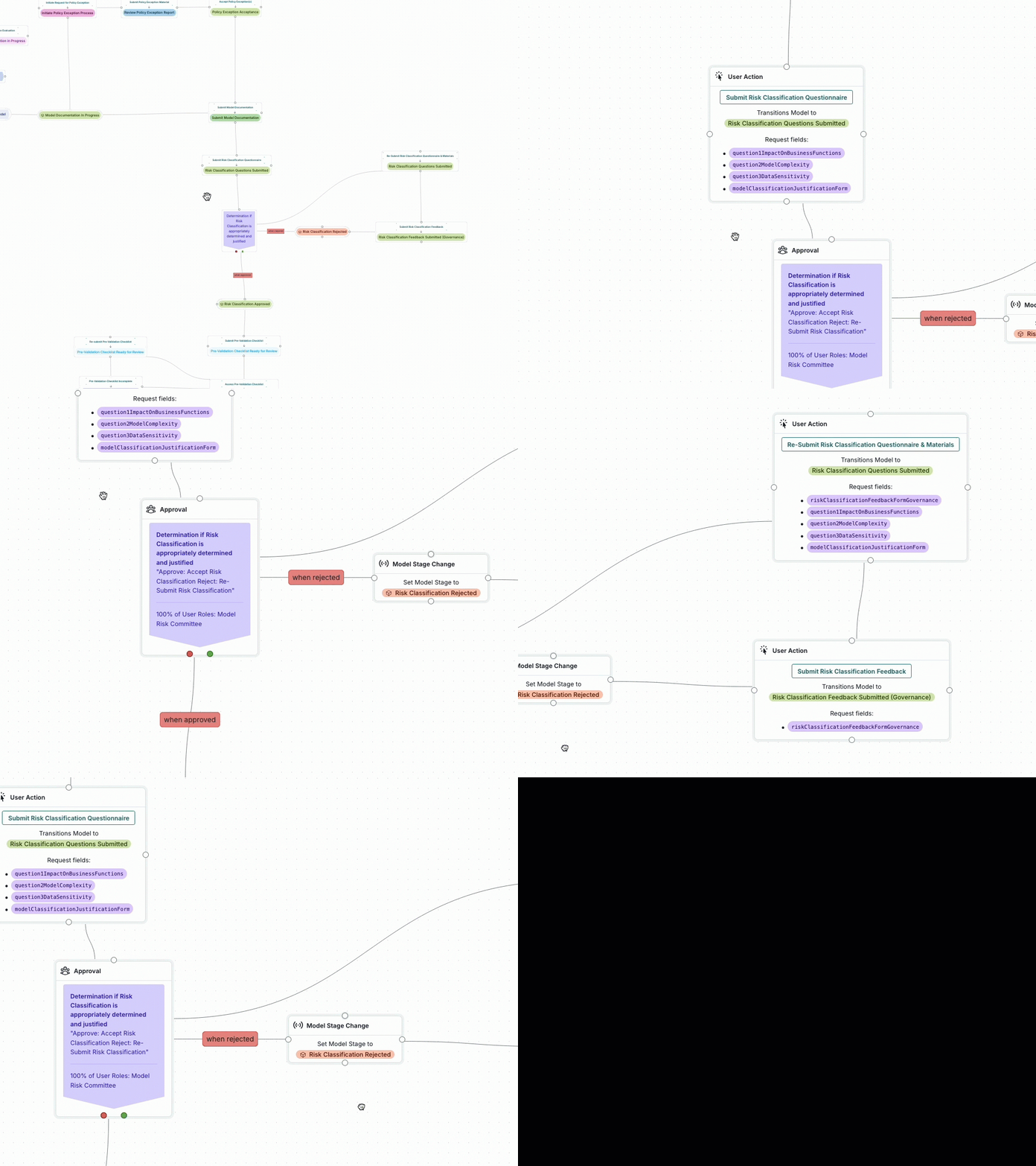
Use workflows within the ValidMind Platform to govern in one centralized place:
- Define roles and responsibilities providing clear actions for your stakeholders to follow.
- Review audit trails to track all activities across lifecycle stages, statuses, artifacts, and validation issues.
What can I use workflows for?
Workflows & Approvals — 3/3
What can I use workflows for?
Implement governance for regulations and policies.
Demonstrate compliance to auditors.
Automate risk processes with triggers and schedules.
Get alerts for items that need attention.
3 Reporting & Analytics
3
Reporting & Analytics
Use customizable dashboards for oversight, alongside extensible analytics and flexible exports to meet reporting requirements in the same tool where your inventory and workflows live — the ValidMind Platform.
Reporting and Analytics
Reporting & Analytics — 2/2
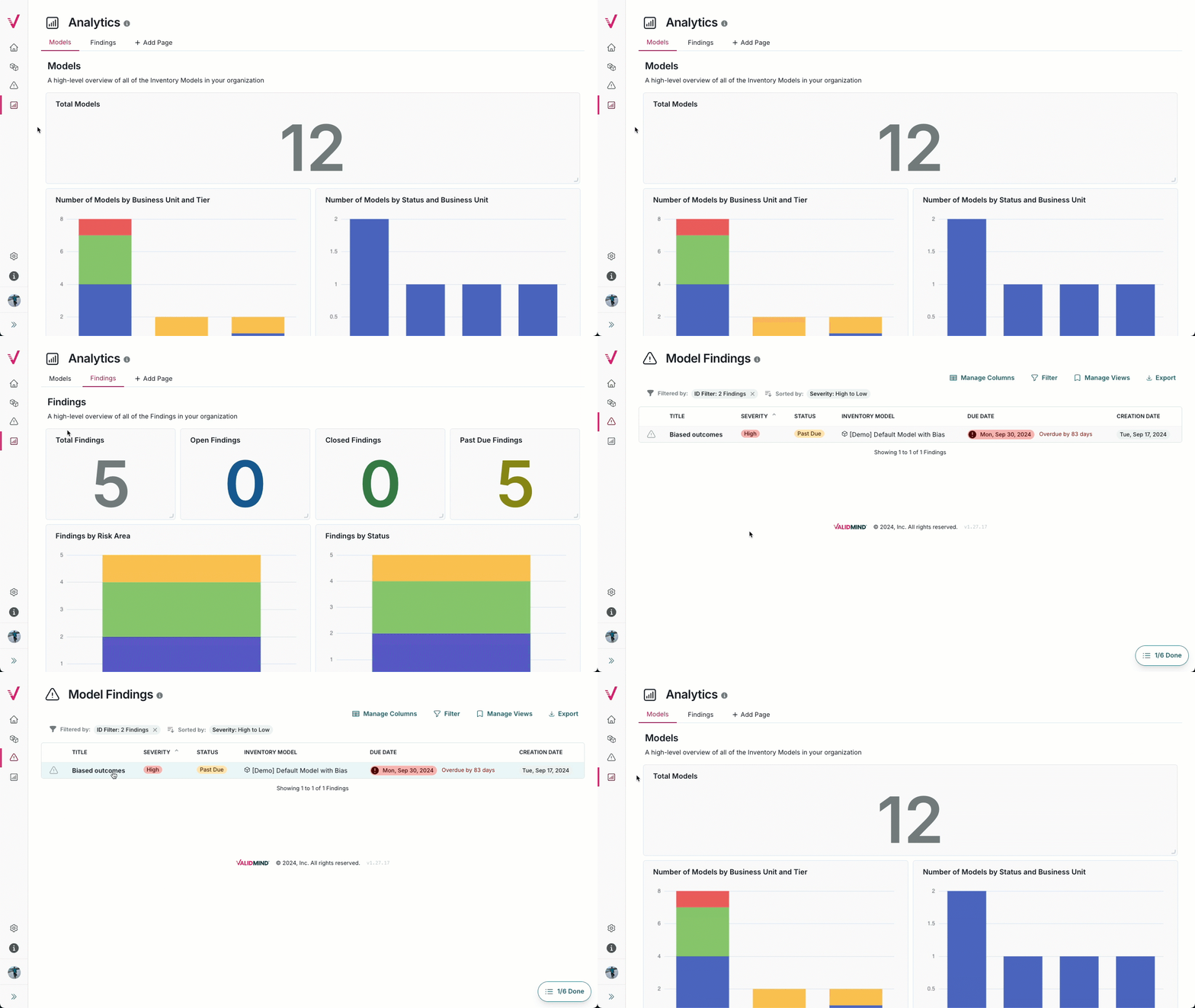
Enable teams to collaborate and take shared responsibility:
- Track validation issues, approvals, and sign-offs across your model lifecycles linked to the same inventory used to track models.
- Get clear analytics and real-time insights throughout all stages of your model lifecycles to assess your risk posture.
Export documents to share with additional stakeholders.
4 Documentation & Testing & Validation
4
Documentation & Testing & Validation
Automate documentation, perform comprehensive testing, and enable independent validation with full audit trails all with our open-source tool —
the ValidMind Library.
Documentation
Documentation & Testing & Validation — 2/5
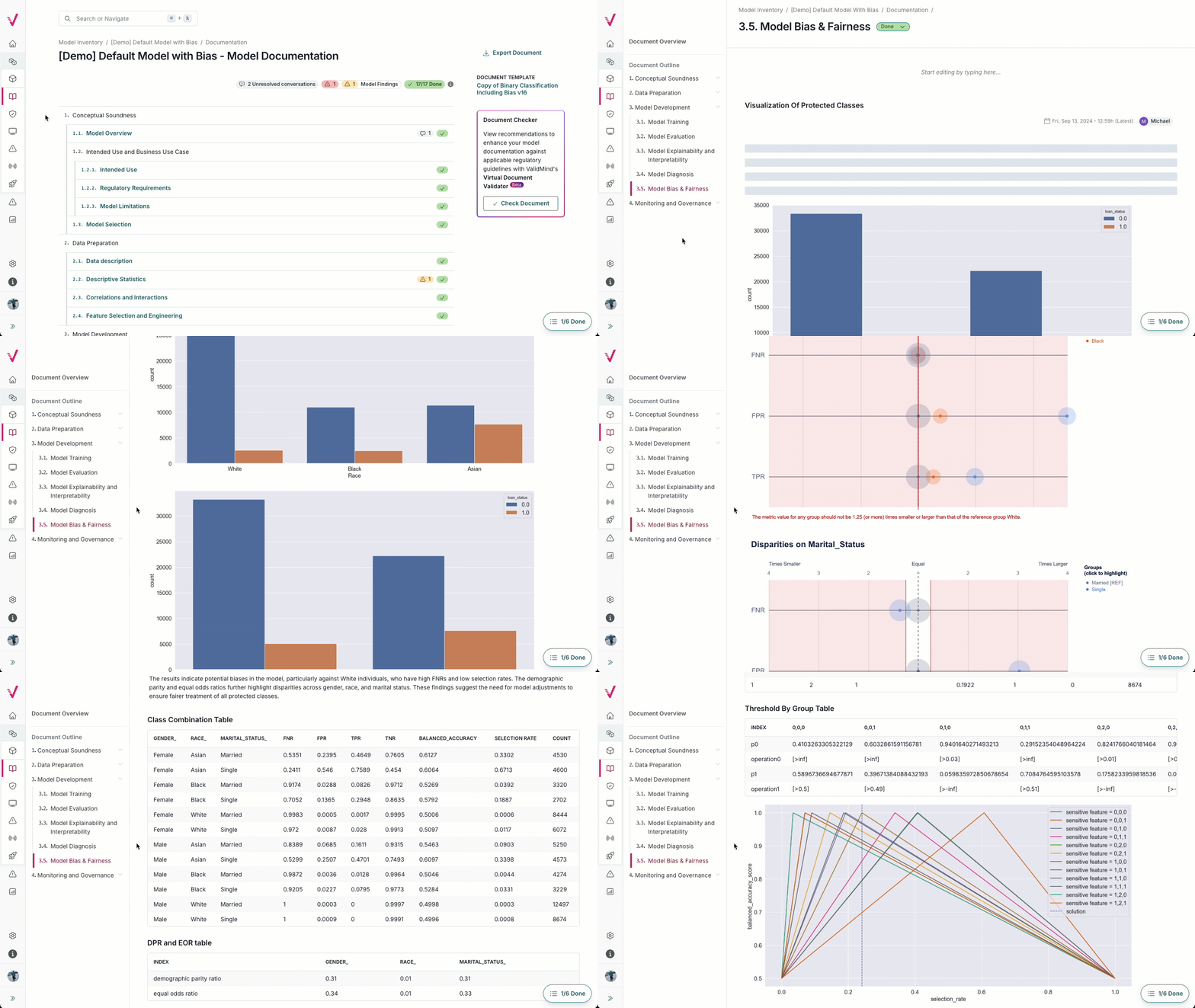
Documentation
The ValidMind Library …
- Works with AI systems, models, use cases, tools, and more.
- Offers predefined templates, and the ability to create your own, including material from your reusable content block library.
- Pairs seamlessly with the full-featured online editor in the ValidMind Platform.
Testing
Documentation & Testing & Validation — 3/5
Testing
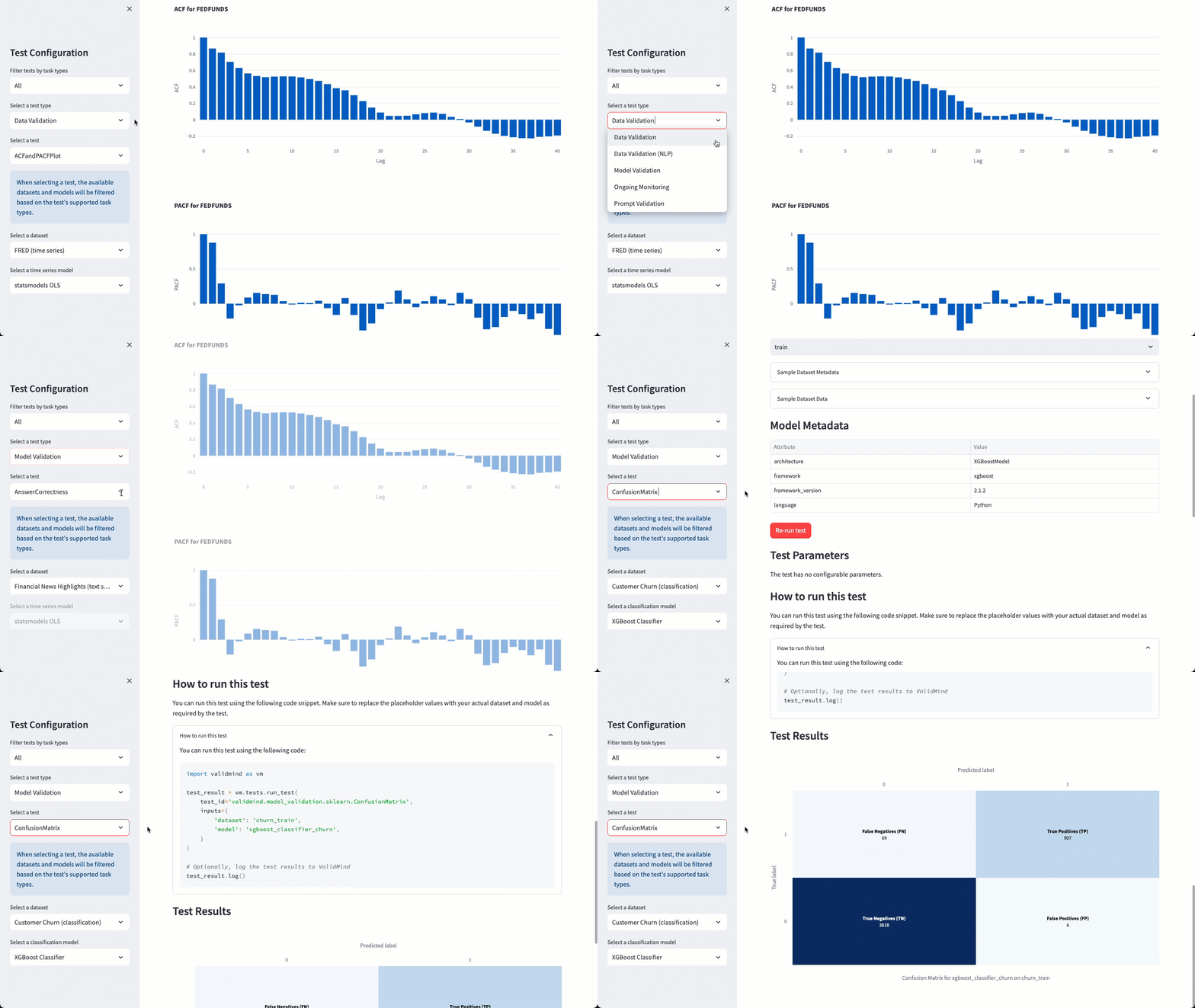
The ValidMind Library includes …
- Over 200 out-of-the-box tests.
- End-to-end test suites.
- Model, prompt, and data assessments.
- Capability for extension with custom tests and test providers.
Validation
Documentation & Testing & Validation — 4/5
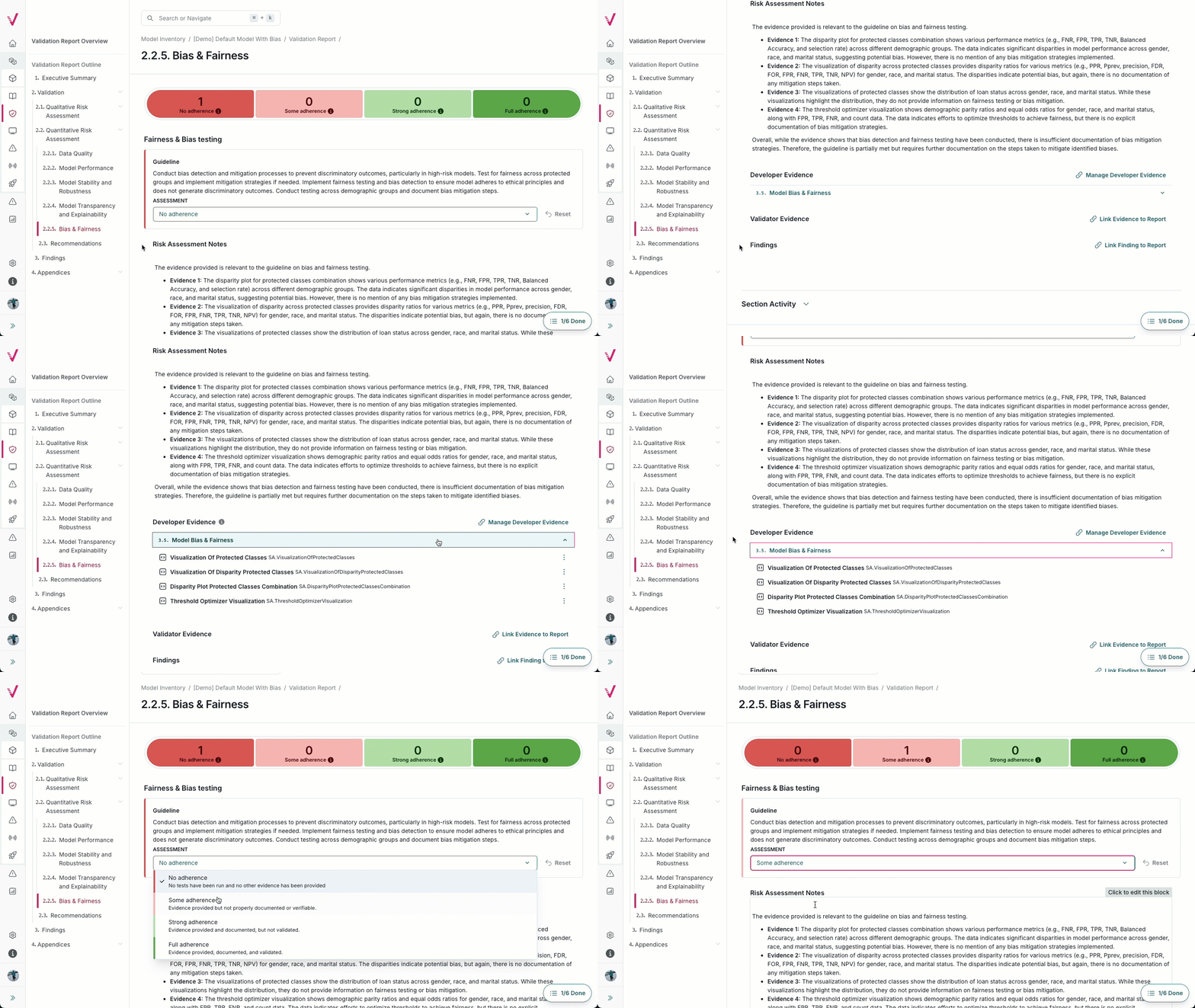
Validation
Make handoff between teams seamless.
Use the same ValidMind Library and ValidMind Platform used to develop models to …
- Tailor the validation process to regulatory or internal standards.
- Assess compliance by linking evidence from developers and validators.
- Generate risk assessments with recommendations.
Robust & Transparent Processes
Documentation & Testing & Validation — 5/5
Robust & Transparent Processes
As a validator, use the same tools used to develop models to …
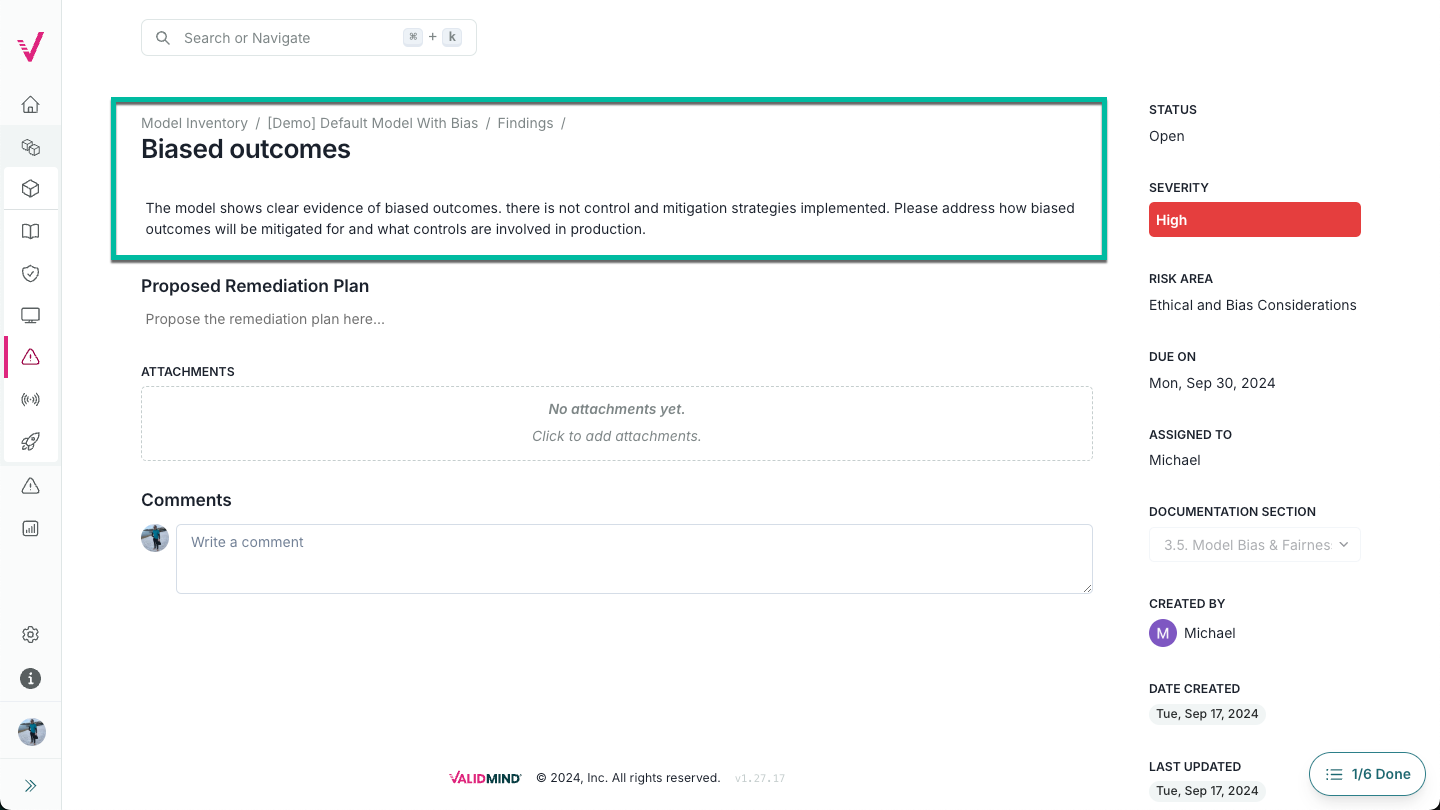
- Create challenger models and link the test results from your challenger model as evidence to your validation report.
- Run a variety of thorough model comparison tests to mount an effective challenge.
- Open validation issues, track remediation plans and monitor resolution.
- Collaborate with developers to resolve issues.
5 Ongoing Monitoring
5
Ongoing Monitoring
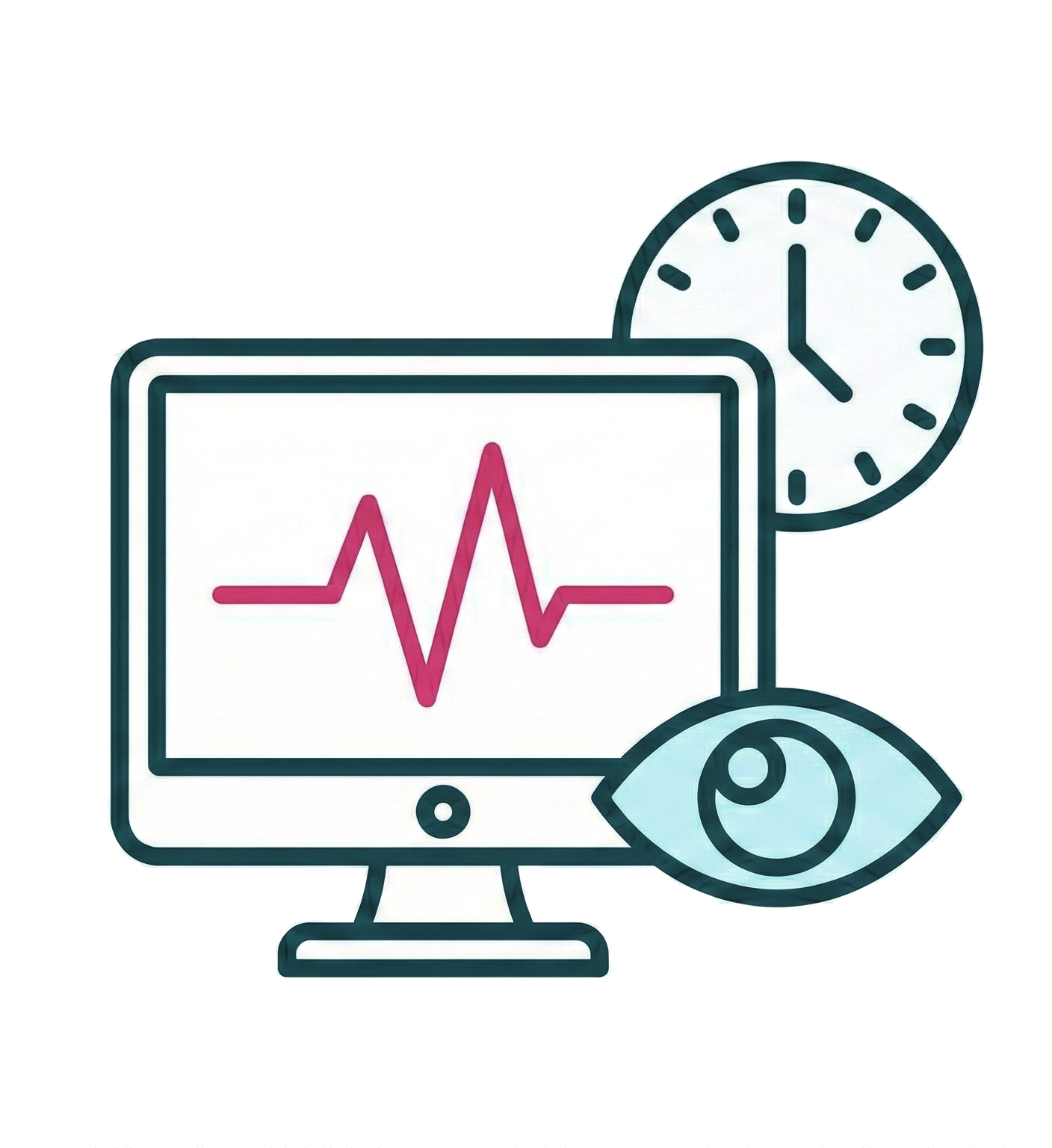
ValidMind provides ongoing monitoring to ensure items perform as expected and to detect potential issues early.
Combine monitoring and workflows for performance-based governance with thresholds and alerts to trigger action.
Ongoing Monitoring
Ongoing Monitoring — 2/3
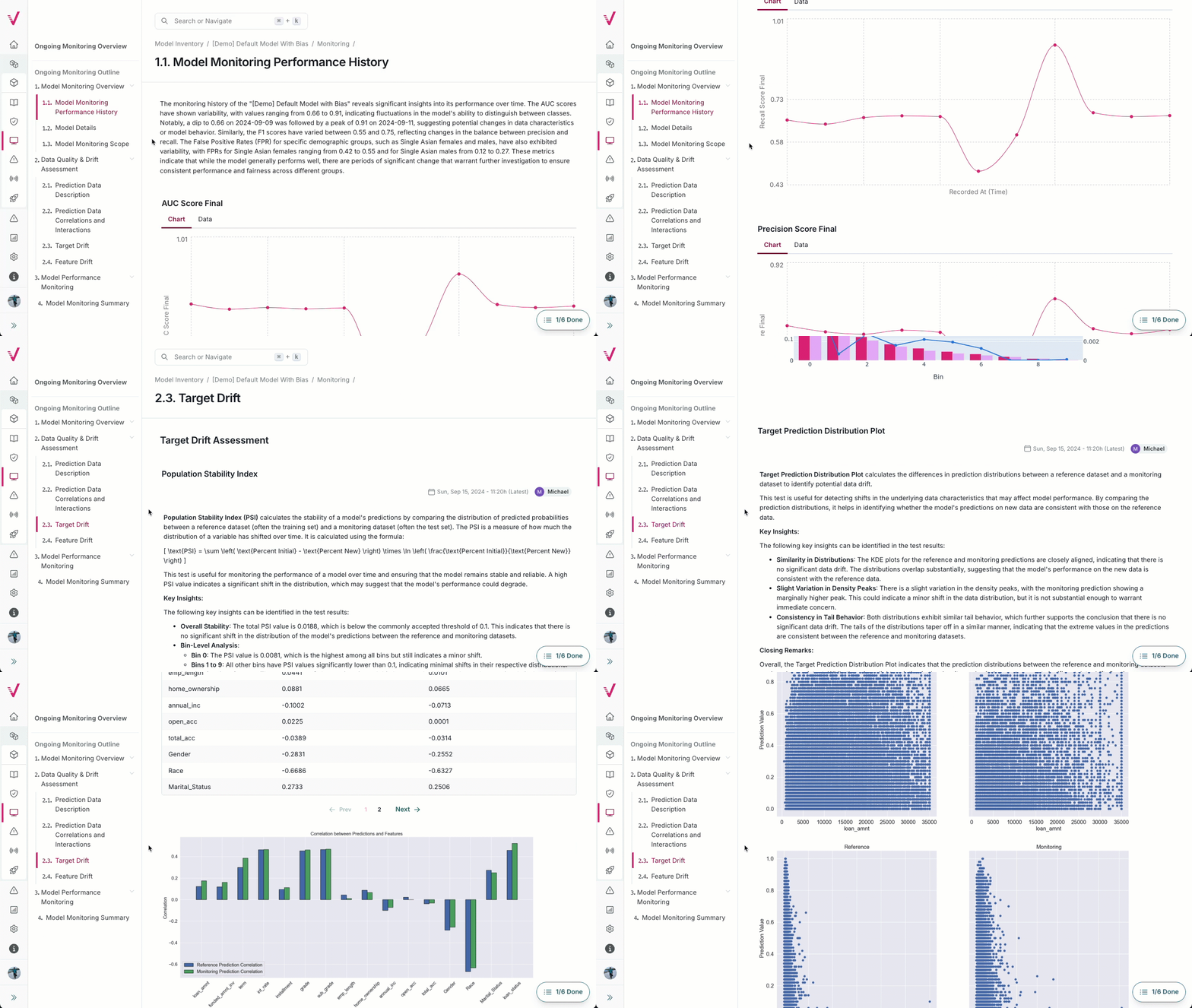
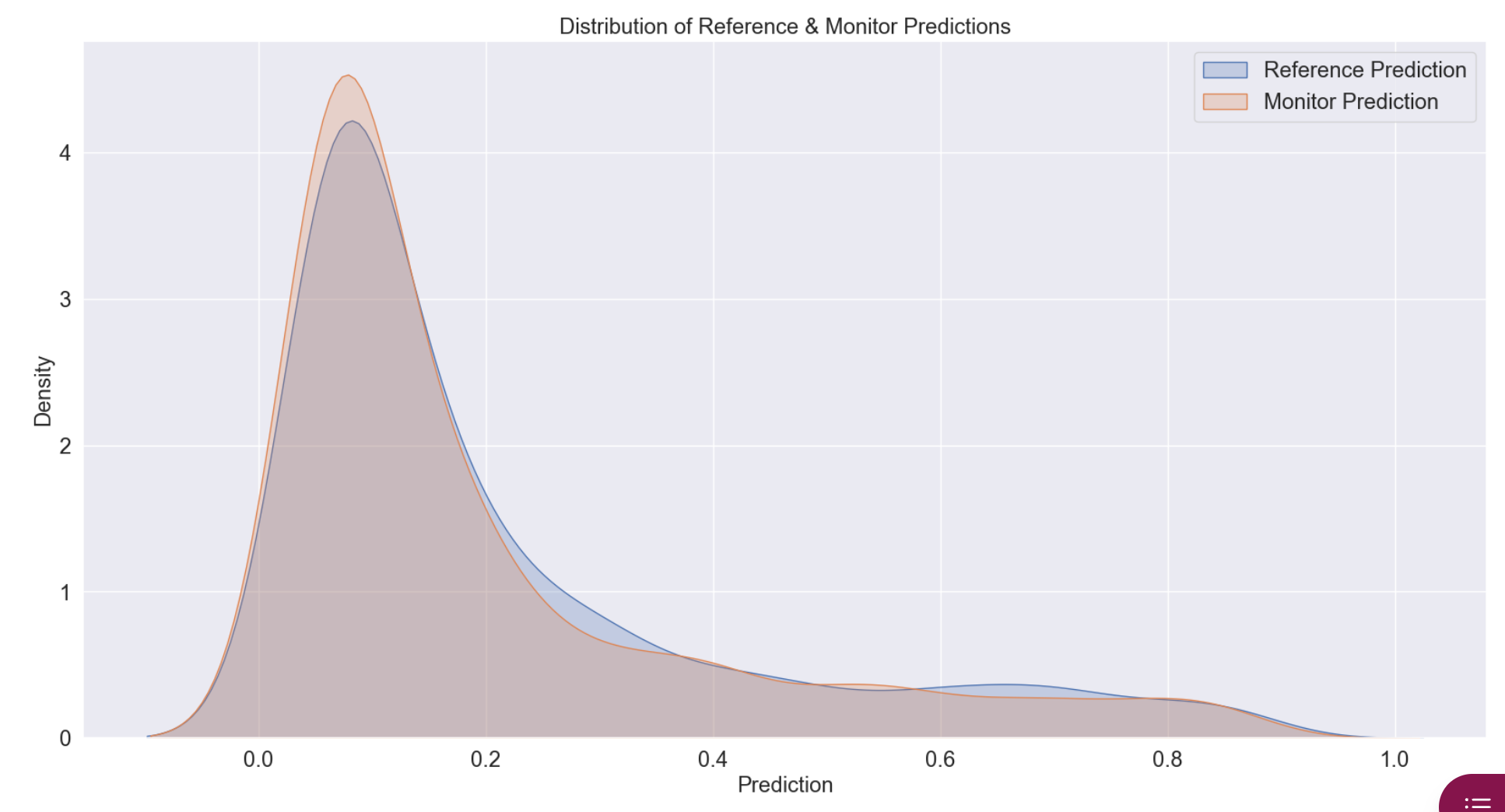
Monitor Your Performance
Enable for any item in the inventory.
Track performance over time.
Detect data drift and other issues early.
Define thresholds and receive alerts.
Governance
Ongoing Monitoring — 3/3
Outcomes Analysis
- Detect test results that exceed thresholds.
- Follow escalation workflows when metrics exceed limits.
- Document and track remediation activities.
Data-Driven Governance
Combine monitoring & workflows for:
- Scheduled revalidation cycles.
- Event-triggered reassessments.
- Escalation to risk functions & committees.
6 Risk Insights & Regulatory Alignment
6
Risk Insights & Regulatory Alignment
ValidMind provides AI-powered risk insights to enhance documentation quality, plus built-in support for regulatory frameworks and compliance requirements.
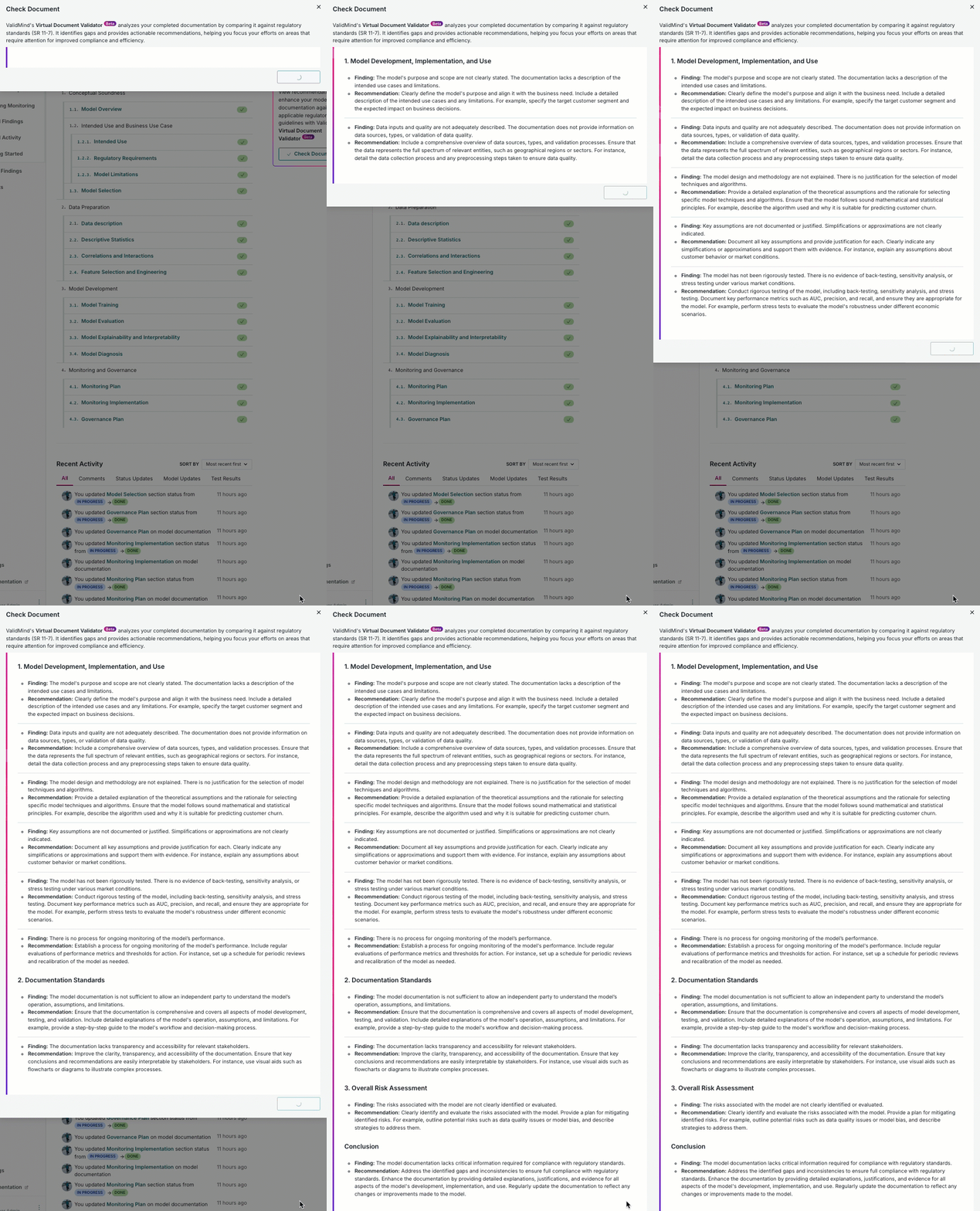
ValidMind Document Checker
Risk Insights & Regulatory Alignment — 2/2
ValidMind Document Checker
Use ValidMind’s Document Checker to:
Assess whether required information is clearly documented.
Identify missing or weak areas in the documentation.
Guide you on how to improve clarity, completeness, and compliance.
Align with regulatory expectations for risk and model governance.
SR 26-2 SS1/23 E-23 EU AI ACT
Put Governance into Practice
 Put Governance into Practice
Use our implementation guides for:
What these guides cover
- Inventory setup, custom fields, risk classification
- Document templates aligned to frameworks
- Automated testing for data quality and accuracy
- Independent validation, effective challenge, remediation
- Ongoing monitoring and drift detection
- Governance roles and approval workflows
- Audit trails for compliance evidence
Need more?
Need more?