• Documentation
    • About ​ValidMind
    • Get Started
    • Guides
    • Support
    • Releases

    • ValidMind Library
    • Python API
    • Public REST API

    • Training Courses
  • Log In
  1. Add date and datetime support for analytics filters
  • All releases

  • Current releases
  • Feature highlights
  • ValidMind Platform releases
  • ValidMind Library releases
  • Documentation updates

  • Breaking changes and deprecations

  • Older releases
  • April 24, 2025
  • March 7, 2025
  • January 31, 2025
  • 2024 Releases
    • December 24, 2024
    • December 6, 2024
    • October 22, 2024
    • September 25, 2024
    • September 9, 2024
    • August 13, 2024
    • July 22, 2024
    • June 10, 2024
    • May 22, 2024
    • March 27, 2024
    • February 14, 2024
    • January 26, 2024
    • January 18, 2024
  • 2023 Releases
    • December 13, 2023
    • November 9, 2023
    • October 25, 2023
    • September 27, 2023
    • August 15, 2023
    • July 24, 2023
    • June 22, 2023
    • May 30, 2023

Add date and datetime support for analytics filters

frontend
25.04
highlight
enhancement
Published

April 10, 2025

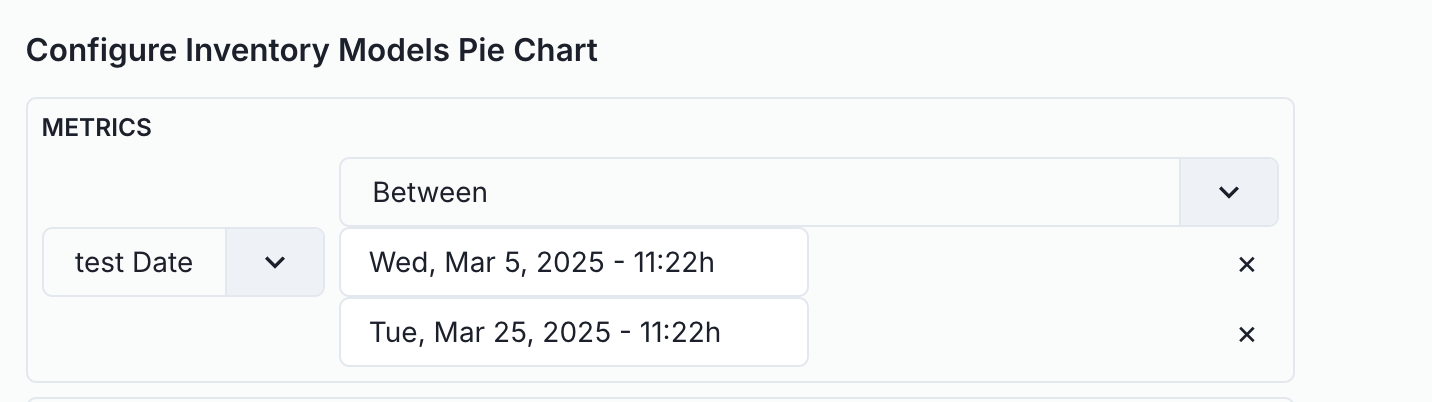
This update enhances the visualization modal's filtering interface by introducing a custom value editor component specifically designed for date inputs. You can now utilize Date and Datetime types in both Grouping and Metrics, offering greater flexibility in data organization. Additionally, we have added support for Between and Not Between filters within Metrics, enabling more precise data filtering.
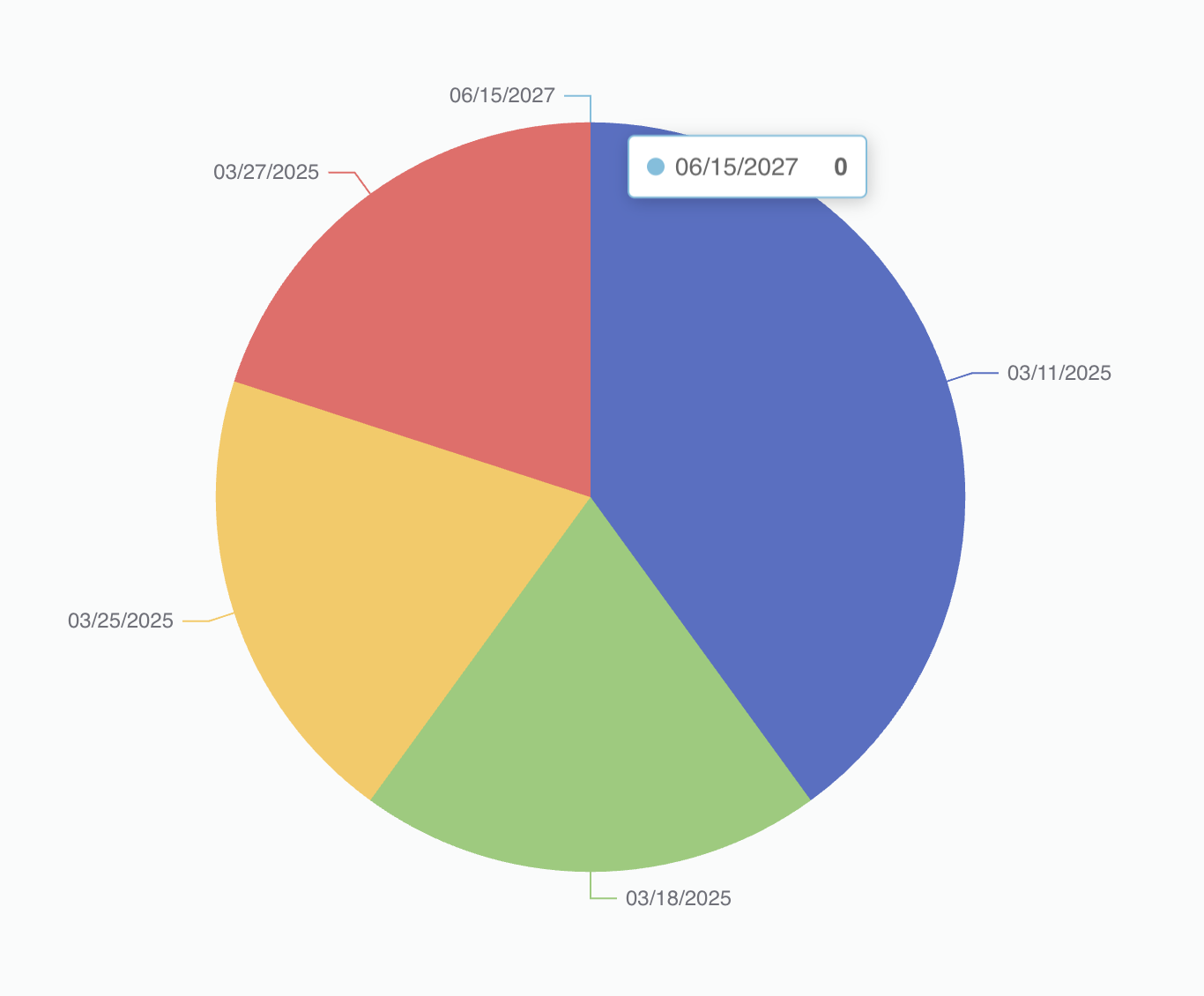
A pie chart with four colored segments representing different dates. The blue segment, labeled 06/15/2027, is highlighted with a tooltip showing the date and a value of 0. The red segment is labeled 03/27/2025, the yellow segment is labeled 03/25/2025, and the green segment is labeled 03/18/2025. Each segment has a line extending outward to its label. The chart is set against a light gray background.

  • Support for Date and Datetime types in Grouping and Metrics.
  • Added support for Between and Not Between filters in Metrics.

A user interface for configuring inventory models pie chart is displayed. At the top, there is a section titled Metrics. Below it, there is a dropdown menu labeled test Date with a downward arrow on the left. To the right, there is a selection labeled Between with a dropdown arrow. Two date and time entries are listed below: Wed, Mar 5, 2025 - 11:22h and Tue, Mar 25, 2025 - 11:22h, each with an x button on the right for removal.

  • ValidMind Logo
    ©
    Copyright 2026 ValidMind Inc.
    All Rights Reserved.
    Cookie preferences
    Legal
  • Get started
    • Model development
    • Model validation
    • Setup & admin
  • Guides
    • Access
    • Configuration
    • Model inventory
    • Model documentation
    • Model validation
    • Workflows
    • Reporting
    • Monitoring
    • Attestation
  • Library
    • For developers
    • For validators
    • Code samples
    • Python API
    • Public REST API
  • Training
    • Learning paths
    • Courses
    • Videos
  • Support
    • Troubleshooting
    • FAQ
    • Get help
  • Community
    • GitHub
    • LinkedIn
    • Events
    • Blog
  • Edit this page
  • Report an issue