• Documentation
    • About ​ValidMind
    • Get Started
    • Guides
    • Support
    • Releases

    • ValidMind Library
    • Python API
    • Public REST API

    • Training Courses
  • Log In
  1. Reorganize settings page for improved navigation
  • All releases

  • Current releases
  • Feature highlights
  • ValidMind Platform releases
  • ValidMind Library releases
  • Documentation updates

  • Breaking changes and deprecations

  • Older releases
  • April 24, 2025
  • March 7, 2025
  • January 31, 2025
  • 2024 Releases
    • December 24, 2024
    • December 6, 2024
    • October 22, 2024
    • September 25, 2024
    • September 9, 2024
    • August 13, 2024
    • July 22, 2024
    • June 10, 2024
    • May 22, 2024
    • March 27, 2024
    • February 14, 2024
    • January 26, 2024
    • January 18, 2024
  • 2023 Releases
    • December 13, 2023
    • November 9, 2023
    • October 25, 2023
    • September 27, 2023
    • August 15, 2023
    • July 24, 2023
    • June 22, 2023
    • May 30, 2023

Reorganize settings page for improved navigation

frontend
25.06
enhancement
Published

May 30, 2025

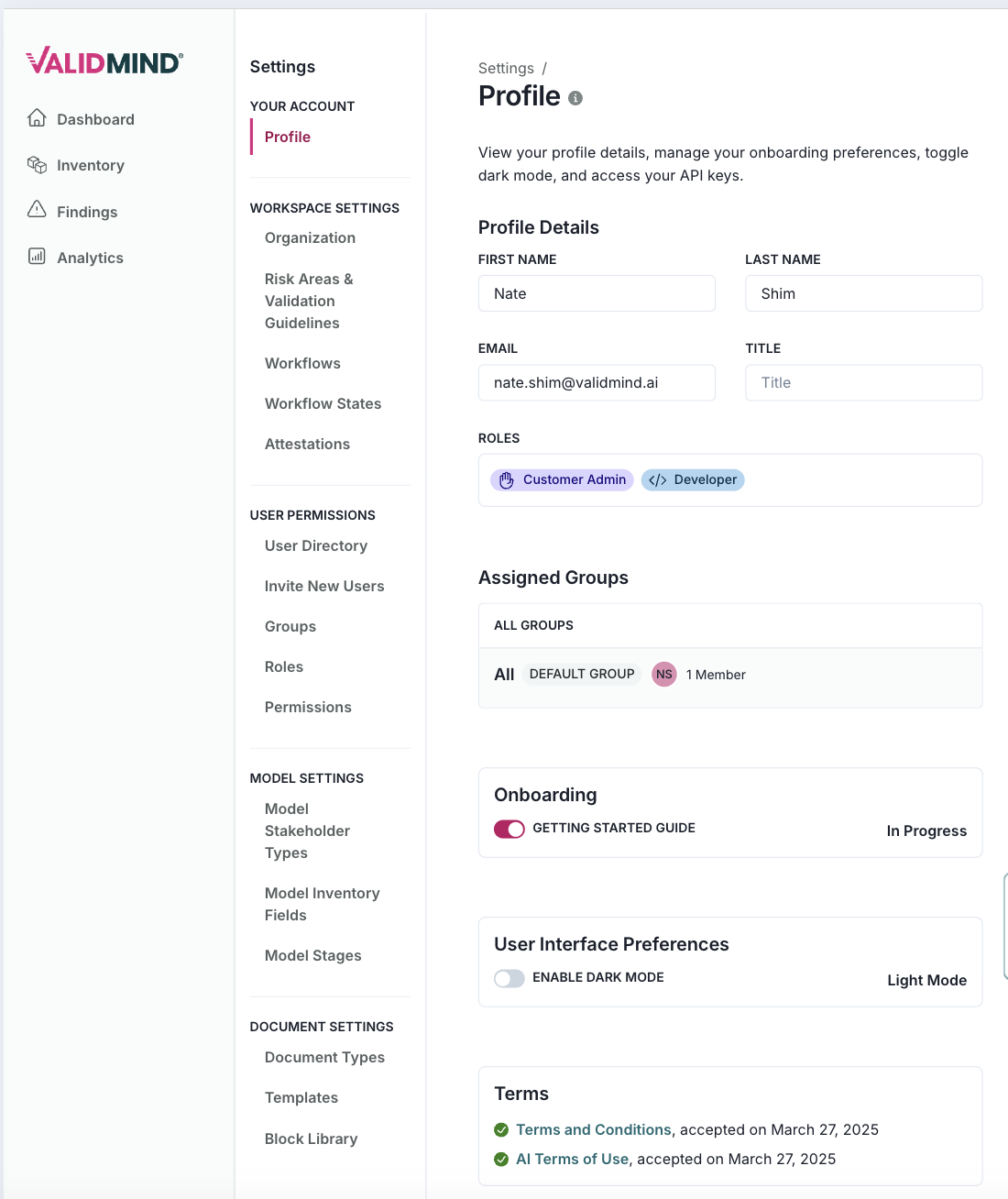
The settings interface has been updated to improve navigation by reorganizing and grouping links into more logical sections.

New settings page:
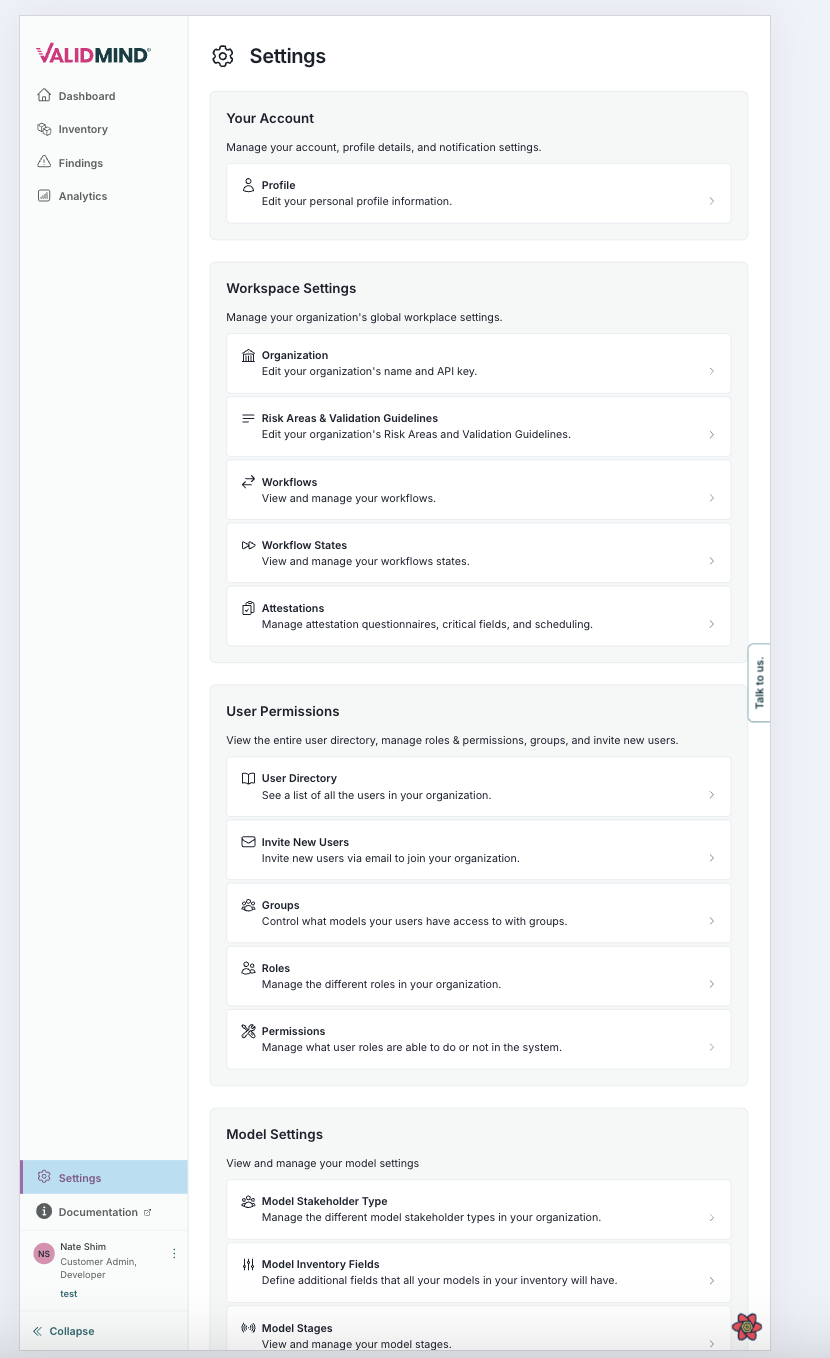
A user interface for a settings page titled Settings with a sidebar on the left and a main content area on the right. The sidebar includes menu items such as Dashboard, Reports, Inventory, and Analytics, with a section for Documentation and Support at the bottom. The main content area is divided into sections: Your Account with options for Profile and Organization, Workspace Settings with options like Organization, Risk Areas & Validation Guidelines, Workflows, and more, User Permissions with options for Manage Users, Invite New Users, and Roles, and Model Settings with options like Model Stakeholders and Model Stages. Each section has expandable items indicated by downward arrows, and the interface uses a light color scheme with blue accents for interactive elements. A gear icon is present on the right side for additional settings.

New settings bar:

The image shows a user interface for a profile settings page on a platform named ValidMind. On the left, there is a vertical navigation menu with options: Dashboard, Inventory, and Analytics. The main section is titled Settings with a subheading Profile, followed by a description about managing profile details and preferences. The Profile Details section includes fields for first name, last name, email, and title, with sample data filled in. Below, there are sections for Assigned Groups, Onboarding status with a progress indicator, User Interface Preferences with a dark mode toggle, and Terms with a link to terms and conditions.

  • ValidMind Logo
    ©
    Copyright 2026 ValidMind Inc.
    All Rights Reserved.
    Cookie preferences
    Legal
  • Get started
    • Model development
    • Model validation
    • Setup & admin
  • Guides
    • Access
    • Configuration
    • Model inventory
    • Model documentation
    • Model validation
    • Workflows
    • Reporting
    • Monitoring
    • Attestation
  • Library
    • For developers
    • For validators
    • Code samples
    • Python API
    • Public REST API
  • Training
    • Learning paths
    • Courses
    • Videos
  • Support
    • Troubleshooting
    • FAQ
    • Get help
  • Community
    • GitHub
    • LinkedIn
    • Events
    • Blog
  • Edit this page
  • Report an issue