Attestations: Stakeholder roles, model scoping, and notifications
frontend
26.01
highlight
Attestation templates improve how you configure attestations, with new options to define participants, scope models, and set notifications.
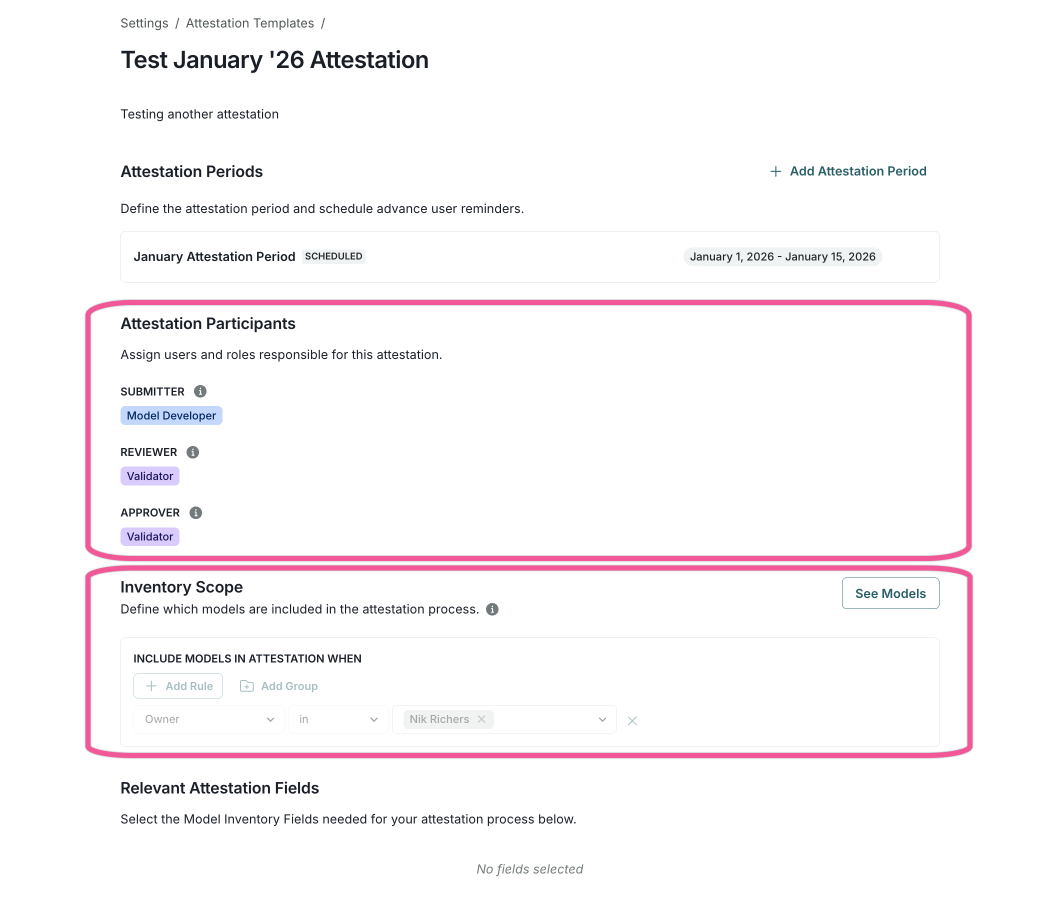
Define stakeholders and roles for attestation participants
Assign specific stakeholders and roles for the attestation process, including:
- Submitter
- Reviewer
- Approver
Define models in scope for attestation submission
Set the inventory scope by filtering which models are included in each attestation:
- Create filtering rules based on specific conditions
- Use nested groups for more complex filtering criteria
- View which models match your filter criteria
Notifications via email and My Inbox
Configure email reminders for attestation periods:
- Set how many days before the end date to send reminders
- Customize the subject and body using dynamic variables
- Send reminders to submitters, reviewers, and approvers
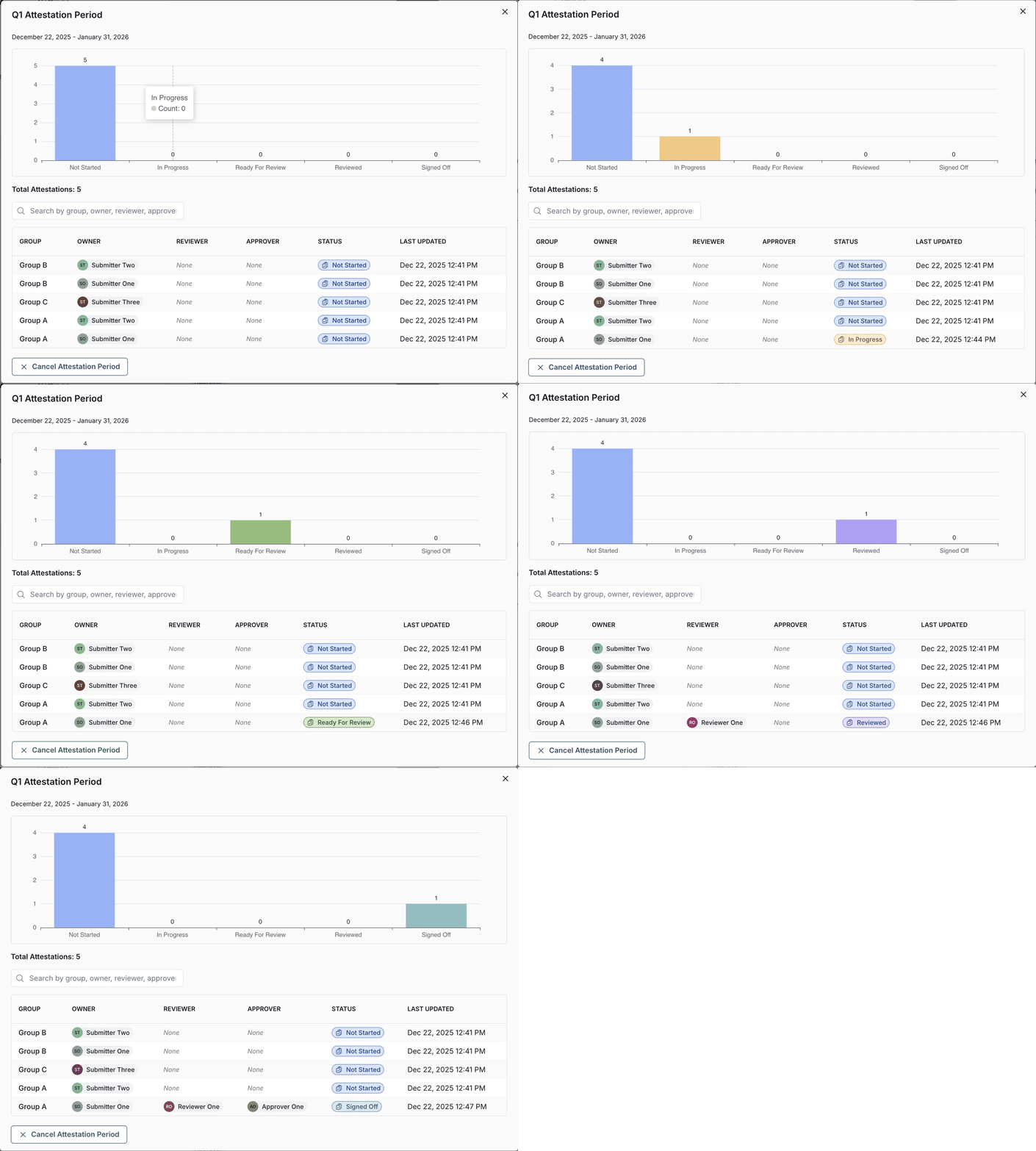
Attestation tasks now show up in My Inbox for each participant. Additionally, you can view attestation details through a progress chart for all attestation instances, sorted by group and owner.