• Documentation
    • About ​ValidMind
    • Get Started
    • Guides
    • Support
    • Releases

    • ValidMind Library
    • Python API
    • Public REST API

    • Training Courses
  • Log In
  1. Expose log text interface for qualitative text sections
  • All releases

  • Current releases
  • Feature highlights
  • ValidMind Platform releases
  • ValidMind Library releases
  • Documentation updates

  • Breaking changes and deprecations

  • Older releases
  • April 24, 2025
  • March 7, 2025
  • January 31, 2025
  • 2024 Releases
    • December 24, 2024
    • December 6, 2024
    • October 22, 2024
    • September 25, 2024
    • September 9, 2024
    • August 13, 2024
    • July 22, 2024
    • June 10, 2024
    • May 22, 2024
    • March 27, 2024
    • February 14, 2024
    • January 26, 2024
    • January 18, 2024
  • 2023 Releases
    • December 13, 2023
    • November 9, 2023
    • October 25, 2023
    • September 27, 2023
    • August 15, 2023
    • July 24, 2023
    • June 22, 2023
    • May 30, 2023

Expose log text interface for qualitative text sections

validmind-library
2.8.17
documentation
enhancement
highlight
Published

April 3, 2025

You can now log free-form text content in the ValidMind Library to enhance your model documentation. This update introduces the log_text function, allowing you to easily integrate text data into your documentation.

Example usage:

file = open("model_limitations.md", "r")
model_limitations = file.read()
file.close()

vm.log_text(
    content_id="model_limitations",
    text=model_limitations
)

This function logs the data, making it accessible on the platform UI for various document types.

Another example:

readme = open("../README.md", "r").read()
vm.log_text(content_id="my_readme", text=readme)
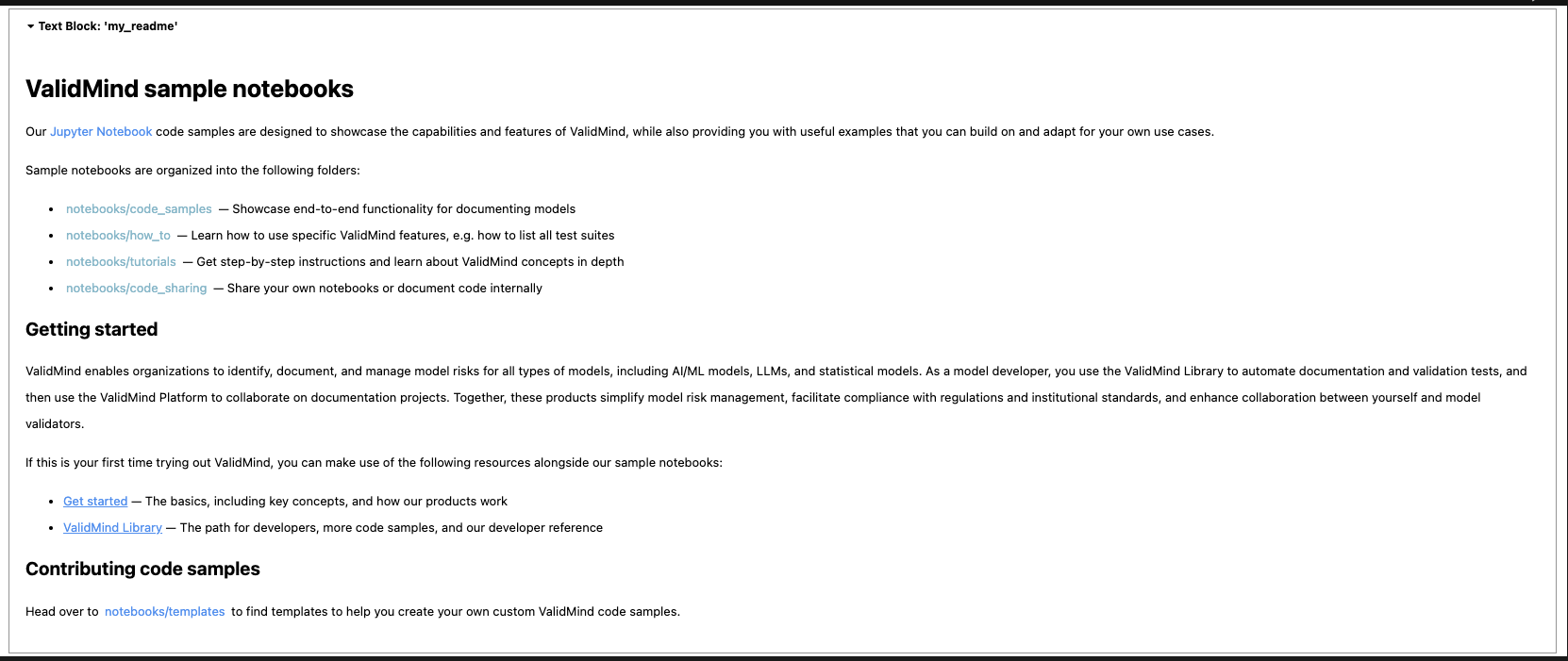
The image shows a webpage titled ValidMind sample notebooks with a black header at the top displaying the text Test Block: my_notebook. Below the header, the main content is organized into sections with bold headings. The first section lists different types of sample notebooks: showcase, how-to, deep-dive, and share-your-own, each briefly described. The Getting started section explains how to use the ValidMind platform for model validation, providing links to the ValidMind Library and documentation. At the bottom, the Contributing code samples section invites users to contribute by sharing templates and includes a link to notebook templates. The page has a clean layout with black text on a white background, and links are highlighted in blue.

ValidMind sample notebooks overview
  • ValidMind Logo
    ©
    Copyright 2026 ValidMind Inc.
    All Rights Reserved.
    Cookie preferences
    Legal
  • Get started
    • Model development
    • Model validation
    • Setup & admin
  • Guides
    • Access
    • Configuration
    • Model inventory
    • Model documentation
    • Model validation
    • Workflows
    • Reporting
    • Monitoring
    • Attestation
  • Library
    • For developers
    • For validators
    • Code samples
    • Python API
    • Public REST API
  • Training
    • Learning paths
    • Courses
    • Videos
  • Support
    • Troubleshooting
    • FAQ
    • Get help
  • Community
    • GitHub
    • LinkedIn
    • Events
    • Blog
  • Edit this page
  • Report an issue